Storm Eye
Every relationship your company has, in one place
Customers, investors and partners are all people and companies you have a history with, so Storm Eye keeps one record for each of them, lets that record hold more than one role at once, and connects the deal, the proposal and the private room to the relationship they belong to.
The core of Storm OS, included on every plan.
No credit card to start · 30-day trial · Live and customized in 15 minutes
One record, many roles
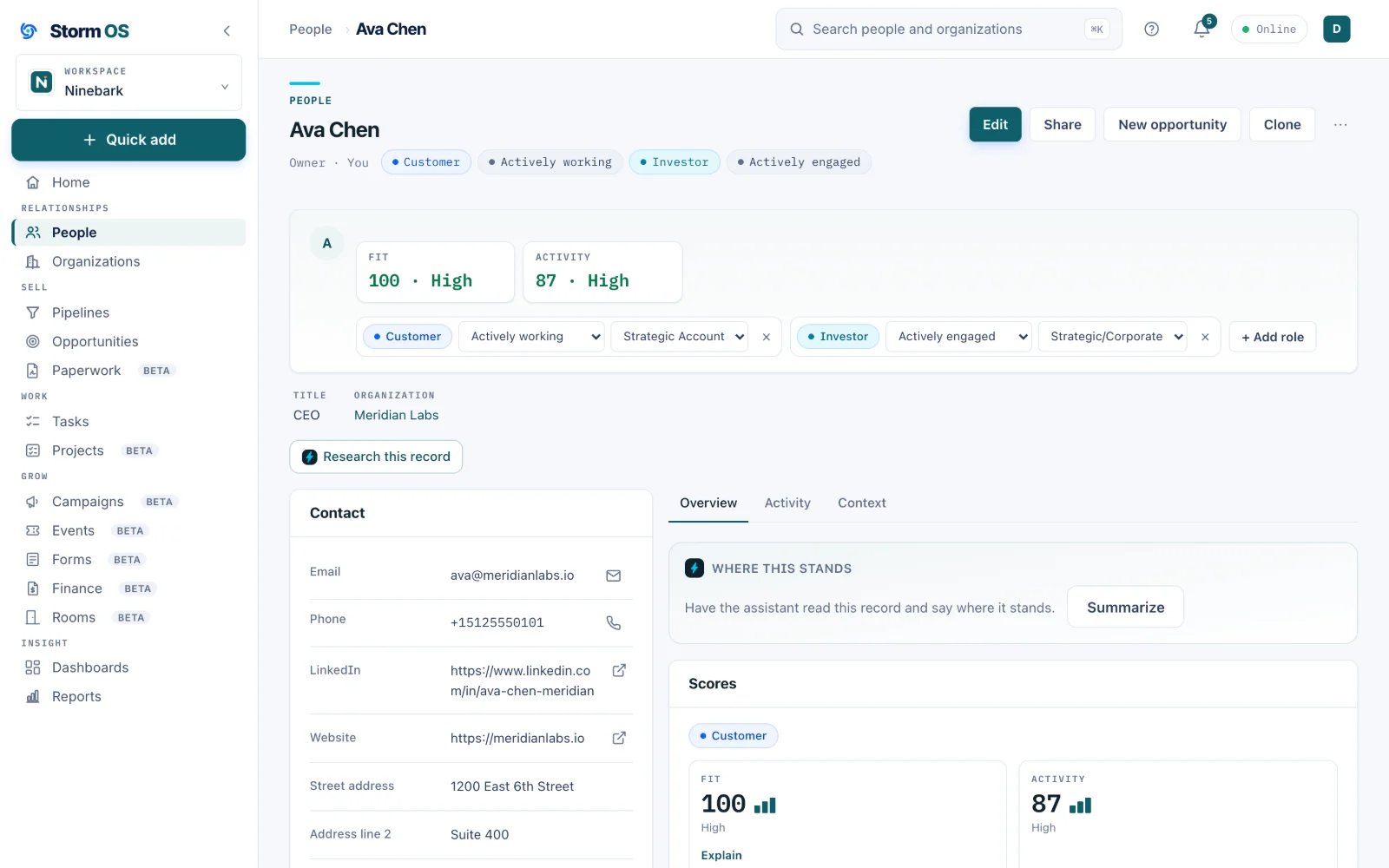
A contact can be a customer, an investor and a partner at once
In a real startup they often are, so each role carries its own engagement level and its own history on the same record, and the intro an investor made last month stays visible from the deal it turned into.
- Roles are added to the record you already have, so nobody maintains a second copy of the same person
- Sub-types for each role: angel, seed fund, strategic, channel-sourced, whatever fits how you work
- The Context Agent writes the overview at the top from everything on the record, and leaves your fields alone
- Custom fields, layouts and saved views, all configured with clicks, and every list reopens on the view you used last
Pipelines
Three pipelines on day one, each built for a different game
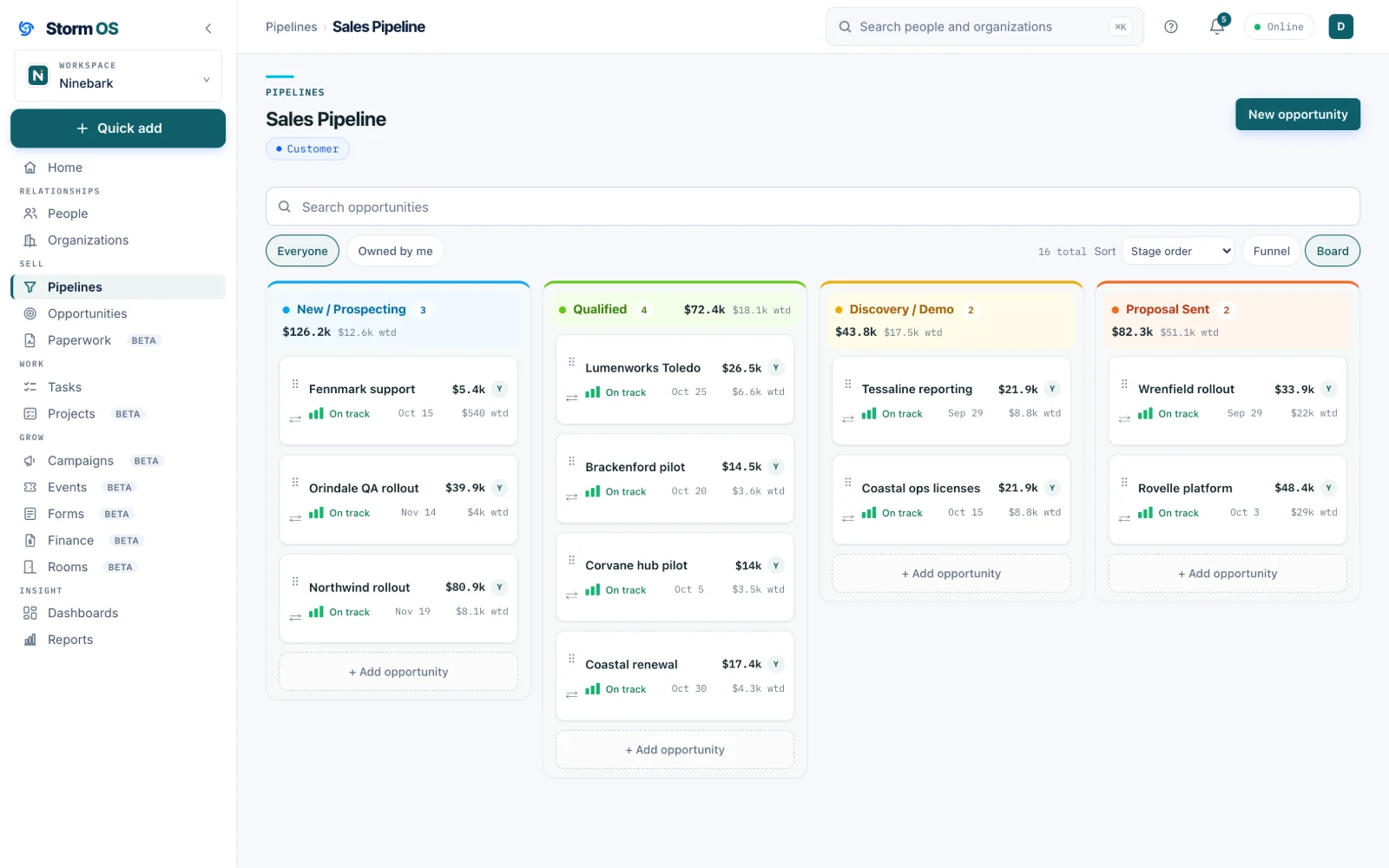
Sales, fundraising and partnerships move through different stages, and forcing them onto one board is how the real version ends up in a spreadsheet. Each pipeline here has its own stages, its own colors and its own math, and you can add as many more as you like.
- Board or funnel view, weighted forecasting, and totals that update as cards move
- Stage colors you choose, so the board reads at a glance
- Stakeholders on every deal, so you always know who has to say yes
- Unlimited custom pipelines beyond the three that come ready
Inside a deal
A deal carries its numbers, its people and its paperwork
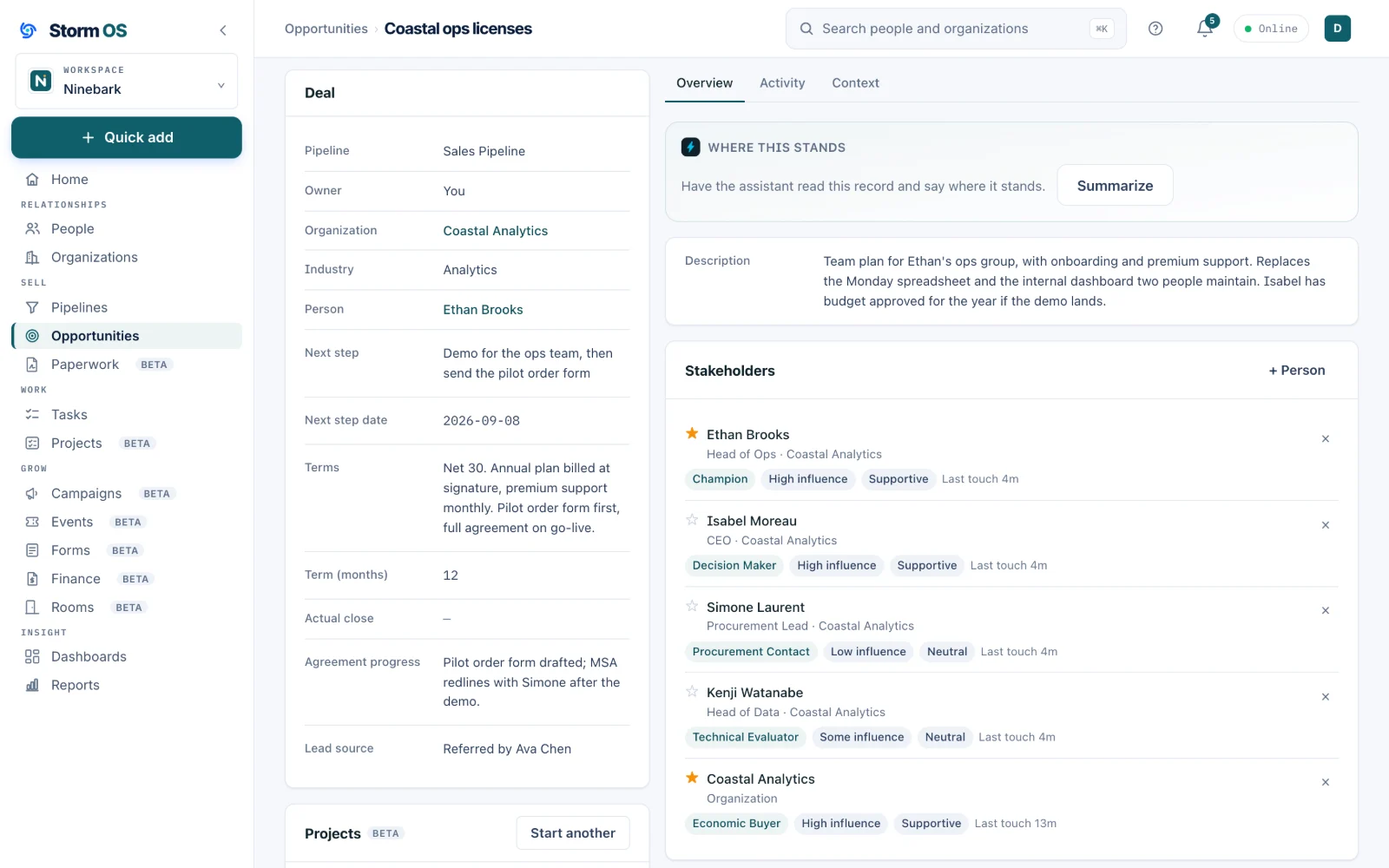
Open any card and you get the full picture: the amount, the weighted value, the close date, where it sits in the pipeline, and who is involved. The billing structure lives here too, so retainers, milestones and one-time charges are described once and reused everywhere the money matters.
- Weighted forecasting from the stage probability, adjustable per deal
- Retainers, milestone payments and one-time charges on the same deal
- A next step and a date, so nothing drifts quietly
- Win a deal and start the delivery project from it in one step, with the account and stakeholders carried across
Proposals
The proposal builds itself from the deal it belongs to
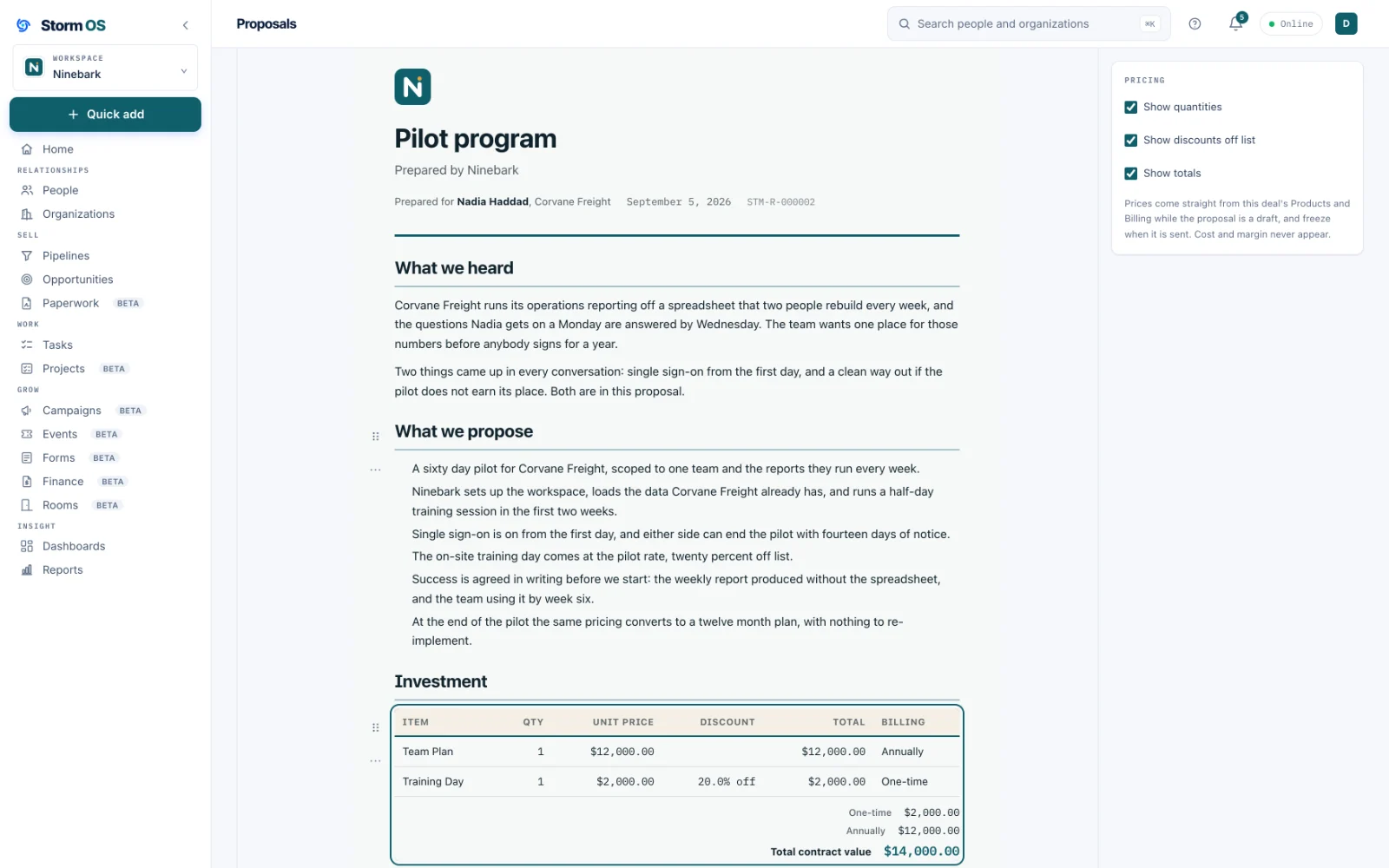
Write the proposal right on the deal, and the pricing table fills from the line items you already entered. Send it as a tracked link, watch it get read, and collect the signature on the same page your client opened.
- Drag-and-drop blocks: cover, scope, pricing, terms, signatures
- The investment table and payment schedule come straight from the deal
- A tracked link shows you when it was opened and what was read
- E-signature on the page, plus PDF and Word downloads when somebody asks
Lightning Vault
Your client signs with their actual signature, in three steps
Lightning Vault is how a proposal becomes an agreement. Your client draws their signature with a finger, types it in a real handwriting style, or uploads a picture of the one they already use, and a one-time code sent to their own inbox ties that signature to them. It takes about a minute and there is nothing for them to install or sign up for.
And then it is done
The agreement comes back carrying both signatures
Your client sees the signed document on the same page they opened, and can download it as a PDF or a Word file. You get the same copy, with your countersignature beside theirs once you add it.
- Draw, type or upload, on a phone as easily as a laptop
- A one-time emailed code proves the signer is the person you sent it to
- The signature lands on the document itself, where the terms it agrees to are
- Storm keeps a sealed copy of exactly what was signed, down to the character
- You countersign from your side and both signatures appear side by side
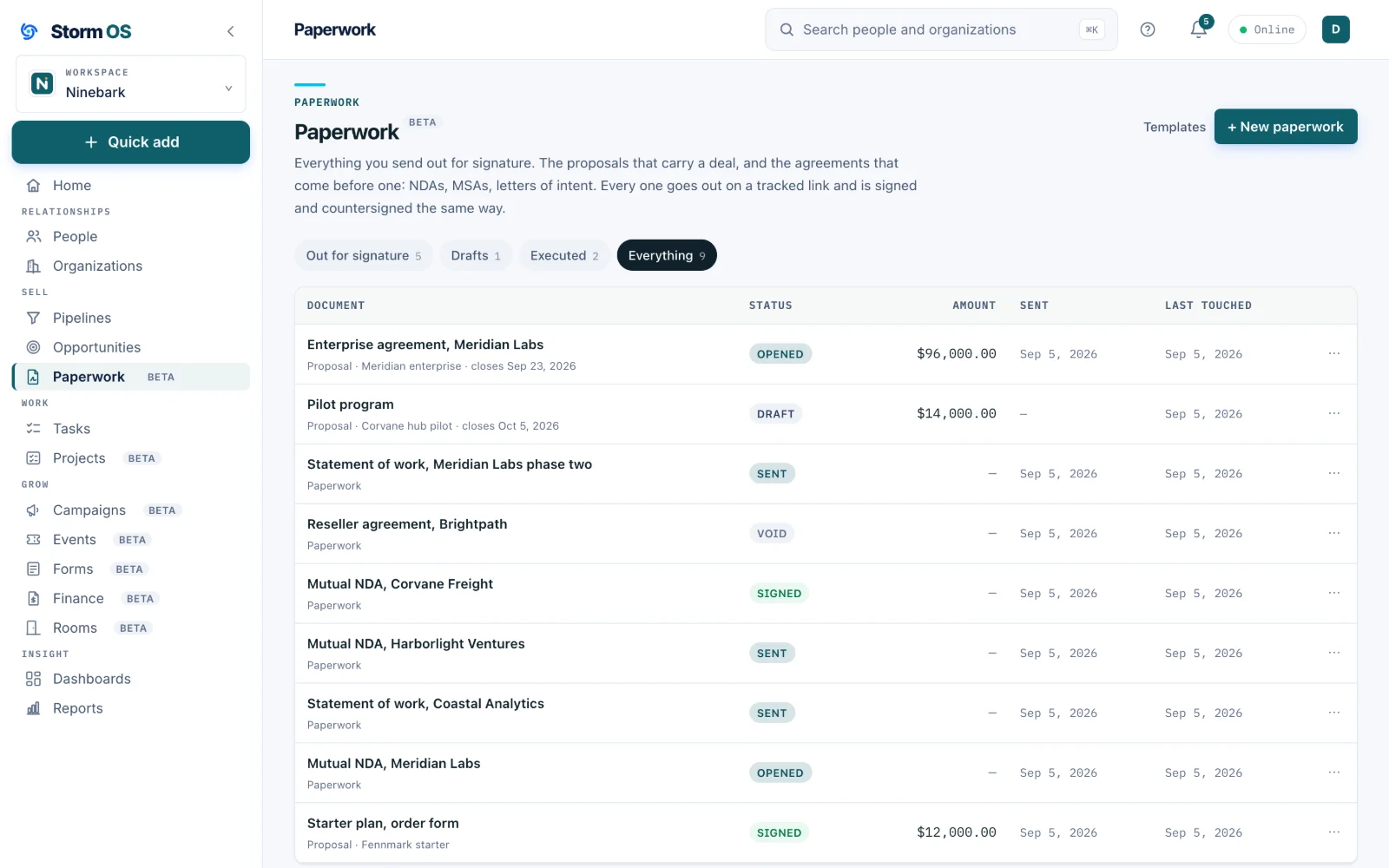
Paperwork
Agreements that name people rather than price a deal
A mutual NDA before the first real conversation, an MSA, a statement of work. Paperwork starts from your own template or from a Word contract you already have, names both sides properly, and files itself on the person, the company and the deal it belongs to.
- Start from a template, or bring a contract you already use and keep its wording
- Both sides named from your records and your registered legal identity
- The dates an agreement states about itself: issued, expected back, expires
- One press sends it and emails the link, with your name on the message
- They sign, you countersign, and the executed copy goes back to both of you
- Withdraw one you have sent, with the trail of what happened left intact
The companies behind them
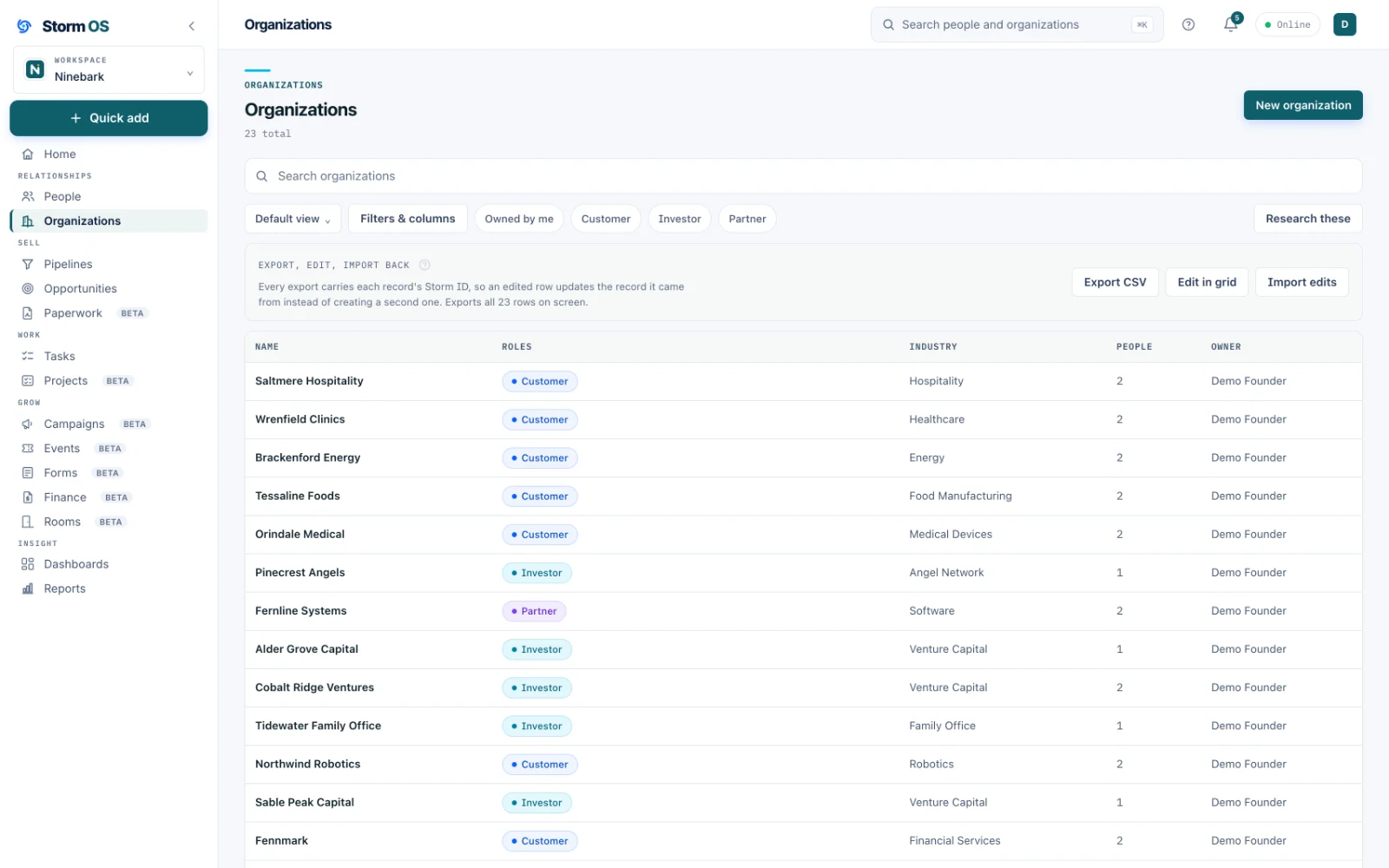
Organizations that know who works there and what is open
A company record holds its own people, deals, documents and roles, so when you open an account you see everything your company and theirs have going together.
- People linked to a company with their title, and one marked primary
- Every deal, proposal, invoice and project on the account, in one place
- Duplicate checks at import and at creation, and any merge can be undone for seven days
- A full export of everything, whenever you want one, in a format you can open
The account
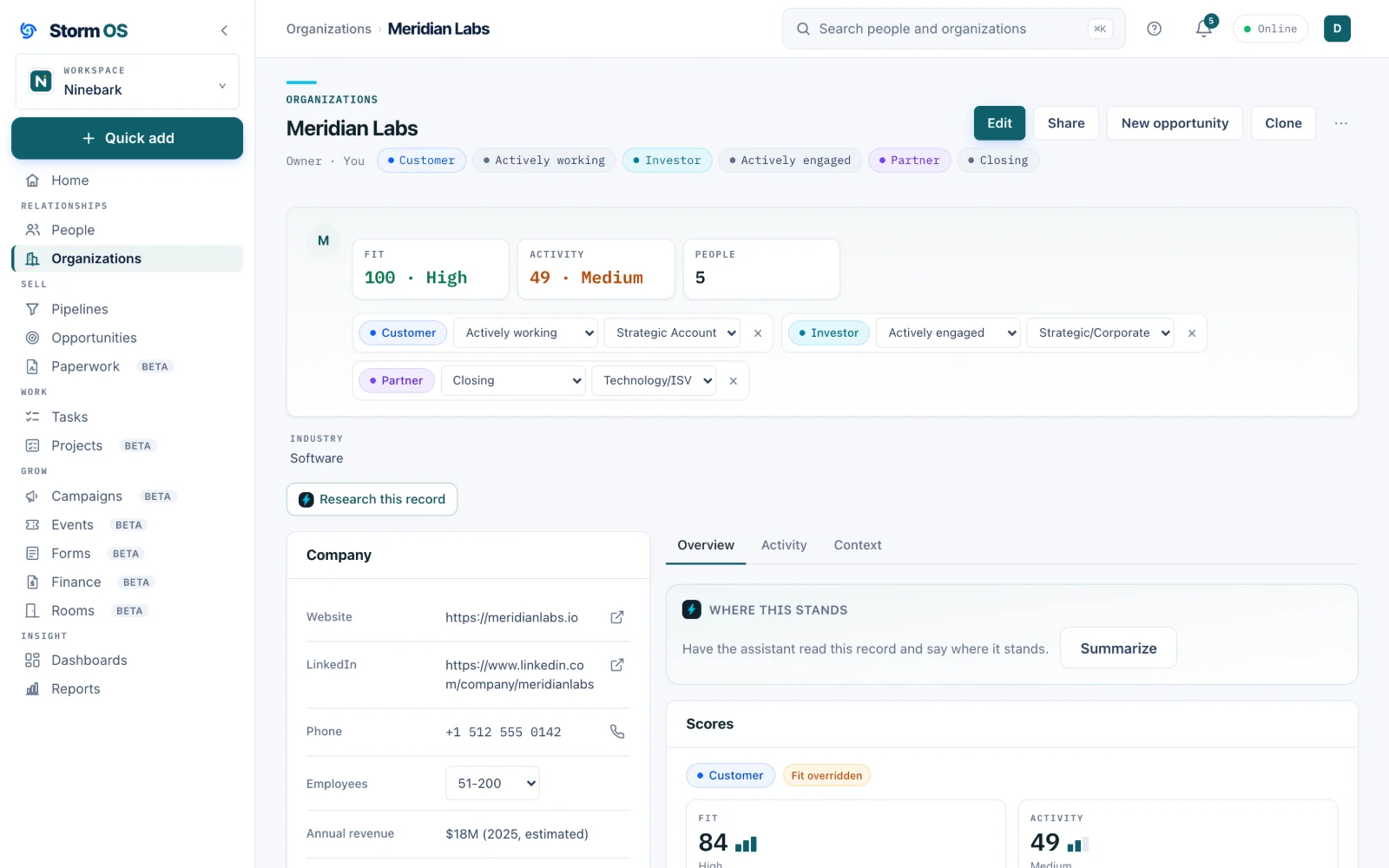
Open a company and see what it is to you
A company can pay you, have invested in you and be closing a partnership all at once, and its record says so in one row of chips. Scores, the people you know there and the company facts sit above the deals and documents, so the first screen of an account is the one you would otherwise piece together from three places.
- Customer, investor and partner roles on one company, each with its own sub-type and engagement level
- Fit and activity scores at the top of the record, for the company as well as its people
- Industry, headcount and revenue beside the website, LinkedIn and phone
- The Context Agent reads the whole account and says where it stands
Imports
Bring the spreadsheet you already have
Import people and their companies together from one CSV or Excel file, or deals, offerings and tasks on their own. Every field a record shows can be filled from a column, the company's address and phone included, and nothing is written until every value Storm OS would refuse has been decided.
- One column can fill the person and their company at once, so an address in the file lands on both
- Each picklist column lists the values your workspace allows, right under it while you map
- Capitals, spaces and underscores are matched to the values you already have, and a value nobody set up is never created
- Anything it would refuse is listed before the import starts, with a suggestion where one fits: pick a value, leave it empty or skip those rows
- A large file goes in a stretch at a time, pauses if you close the page and resumes from Import history
- Undo the import for a week after it runs
Reporting
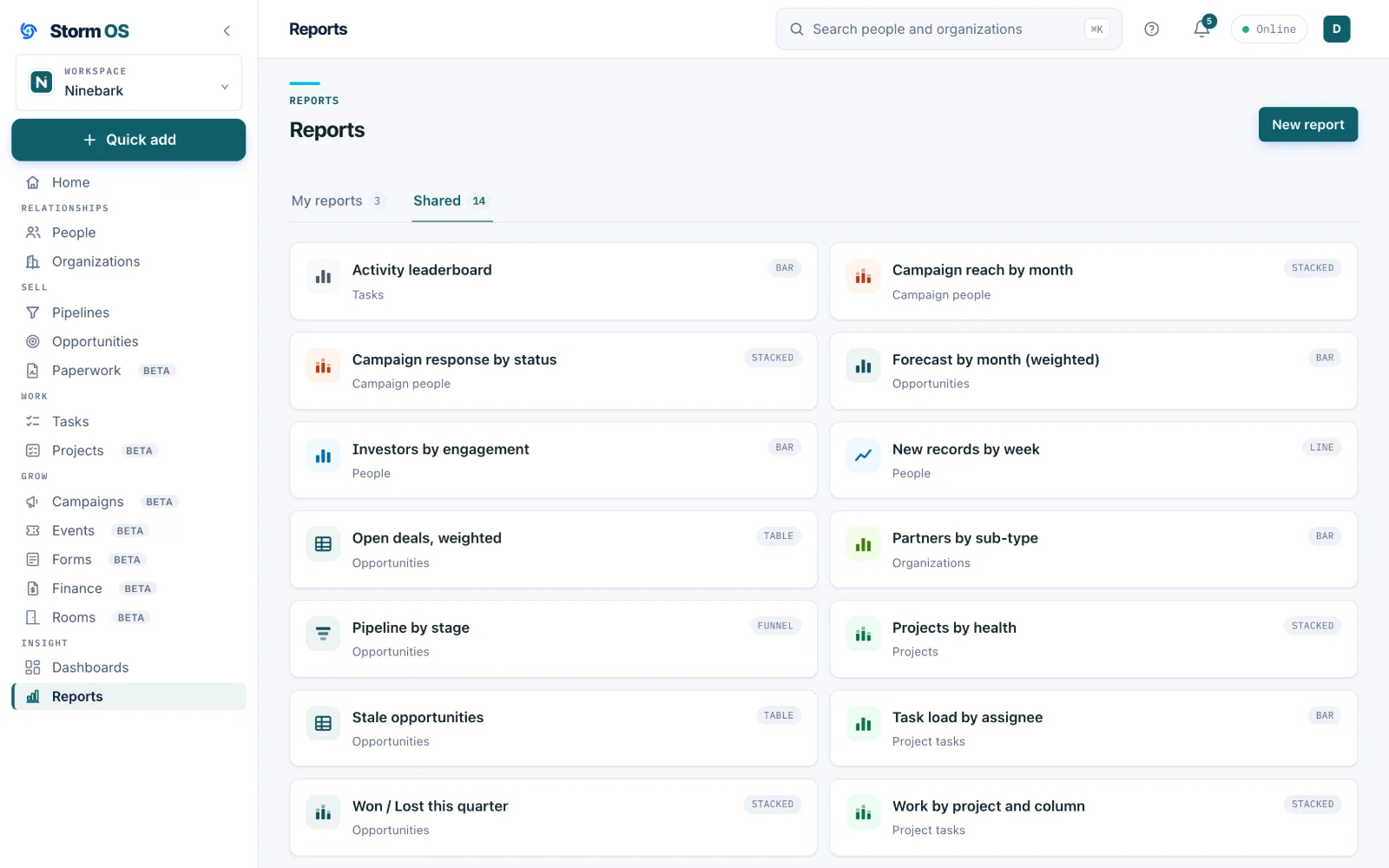
Answers without hiring somebody to build them
Build a report on any object, group it the way you think about it, and pin it to a dashboard the whole team sees the same way. There is no separate BI tool to buy and no export that goes stale by Thursday.
- Reports on contacts, companies, deals, tasks, projects, campaigns and invoices
- Dashboards you arrange yourself, shared or private
- A starter library of ready-made reports you can clone and tweak
- Filters saved as views, reusable anywhere a list appears
Dashboards
The quarter on one screen, for the whole team
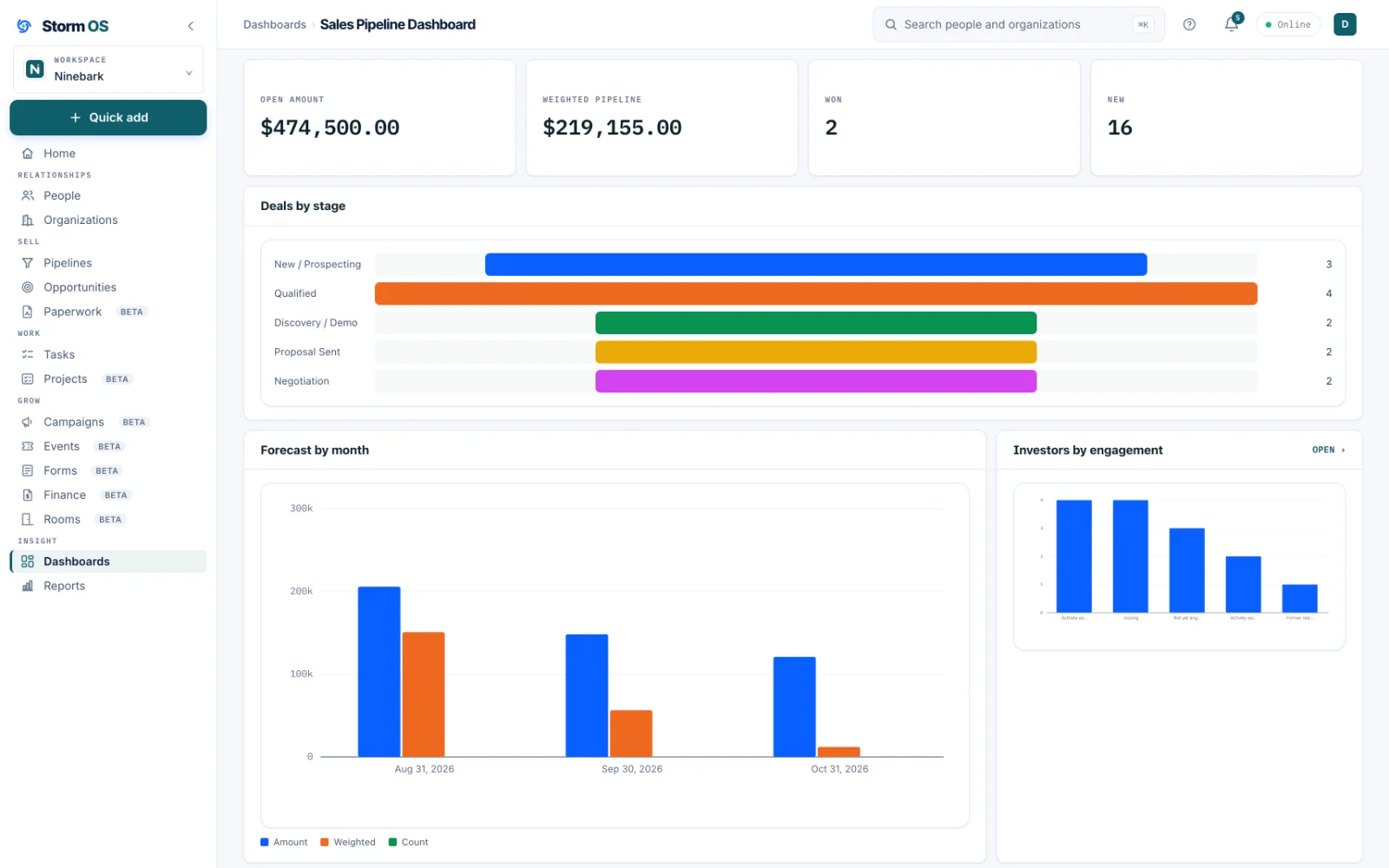
Pin the reports you keep opening to a dashboard, set the period once, and everyone who signs in sees the same numbers. The sales one here carries what is open, what it is realistically worth, what closed and what came in new.
- Any report pins to a dashboard as a tile, in the layout you choose
- One period picker at the top, so every tile reads the same quarter
- Shared with the team or kept to yourself
- A pinned report opens in full from its tile
Home
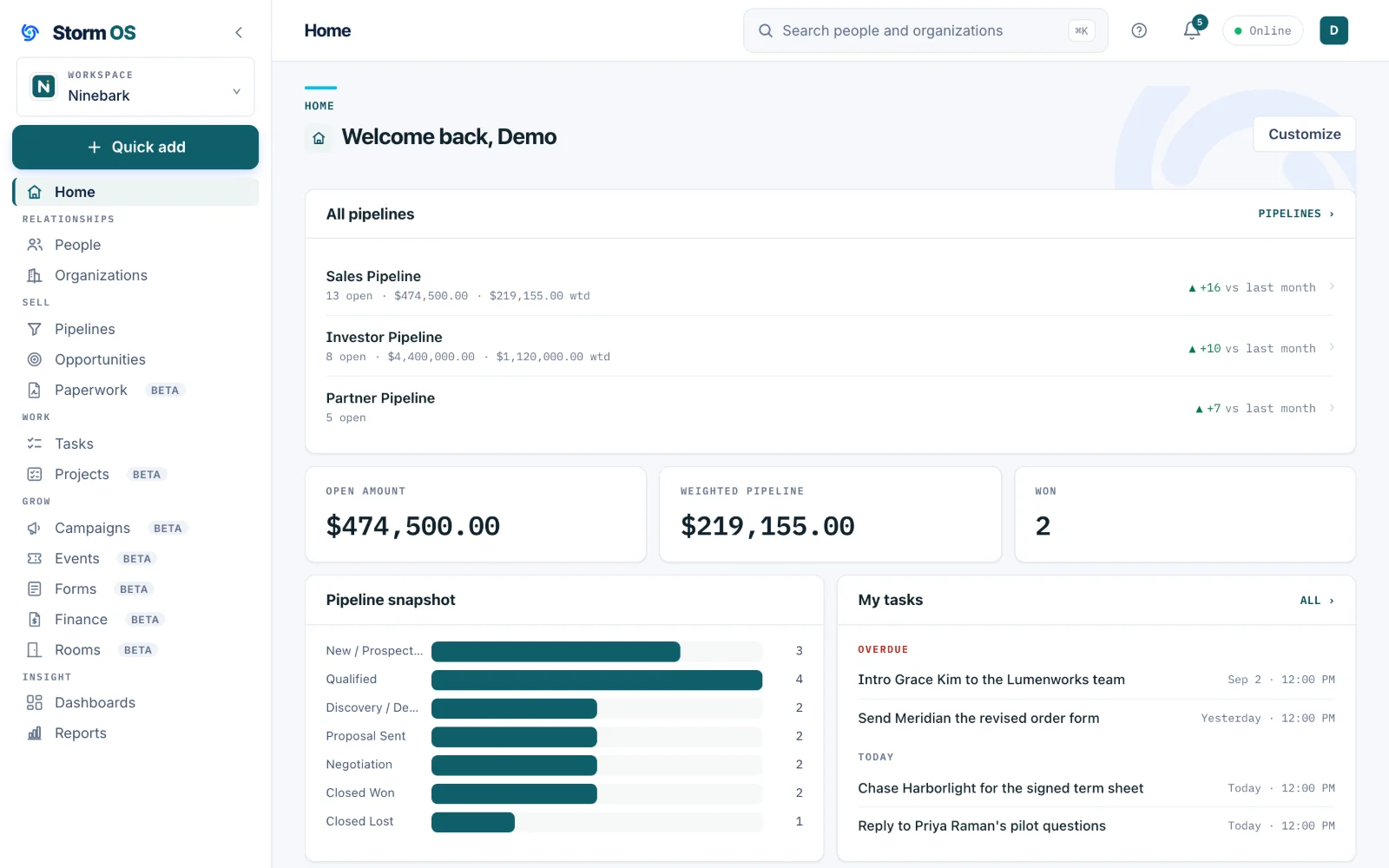
One screen that answers what needs attention right now
Home gathers what is overdue, what moved, who is waiting on you, and the deals about to go quiet, arranged the way you want and consistent for everybody who signs in.
- Arrange it yourself, and set what the team sees by default
- Needs attention gathers stale deals, missing next steps and overdue tasks, and Upcoming closes shows what is expected to land in the next two weeks
- Every tile opens the record behind it
- Reads and writes offline, then syncs when you are back
Private Rooms
Share one branded page instead of a folder full of links
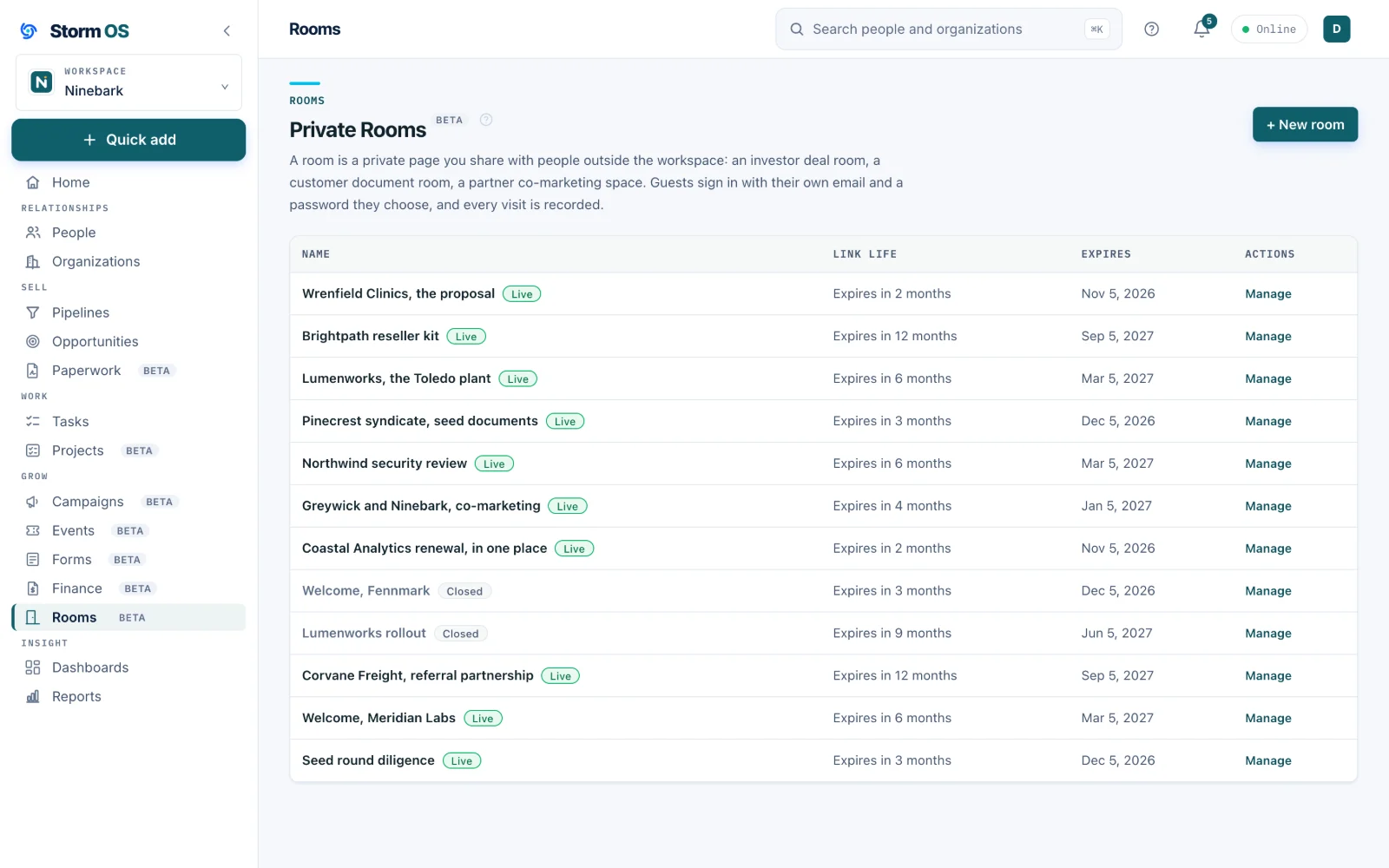
A room is a private page for the people outside your workspace: a diligence room for an investor, a handover for a client, a partner brief. Visitors get a password of their own, and you get a record of who opened what.
- Your logo and your colors, so the room looks like it came from you
- Folders and files, with the text inside them searchable to your team
- Per-visitor access you can revoke the moment a conversation cools
- Statistics per room: who arrived, what they read, how long they stayed
The rest of Storm OS
Your customers, your work, and your money in one place
Every part below works from the same relationships, so the deal you win becomes the project you deliver, the invoice you send, and the customer you keep, without re-entering any of it.
Storm Project
The work after the win
Internal or client work on a board or a calendar, reading its own contracts and transcripts so the brief stays current.
See Storm Project
Storm FinanceBeta
Get paid for it
Invoices raised off the deal that promised them, sent in your name with replies coming to you, paid by card or however you already get paid.
See Storm Finance
Storm MarketingBeta
Reach them again
Email designed and sent from your own domain to segments that build themselves, with every open and click landing on the records your deals live on.
See Storm Marketing
Storm Service
After the invoice clears
The support side of the relationship, in the same place as the deal, the project and the invoice. Licensed separately, arriving in November with a first group of beta customers.
What it will do
Included in the price of Storm OS. The whole platform