Storm Project
The work that follows the win, on the record it came from
A closed deal becomes a project that already knows the account, the people and what was promised. You get boards, lists and calendars for the work, and a brief that reads your own contracts and transcripts so it stays current without anybody maintaining it.
A separate offering, included with your plan for a year.
No credit card to start · 30-day trial · Live and customized in 15 minutes
Projects
Client work and internal work, side by side and clearly labeled
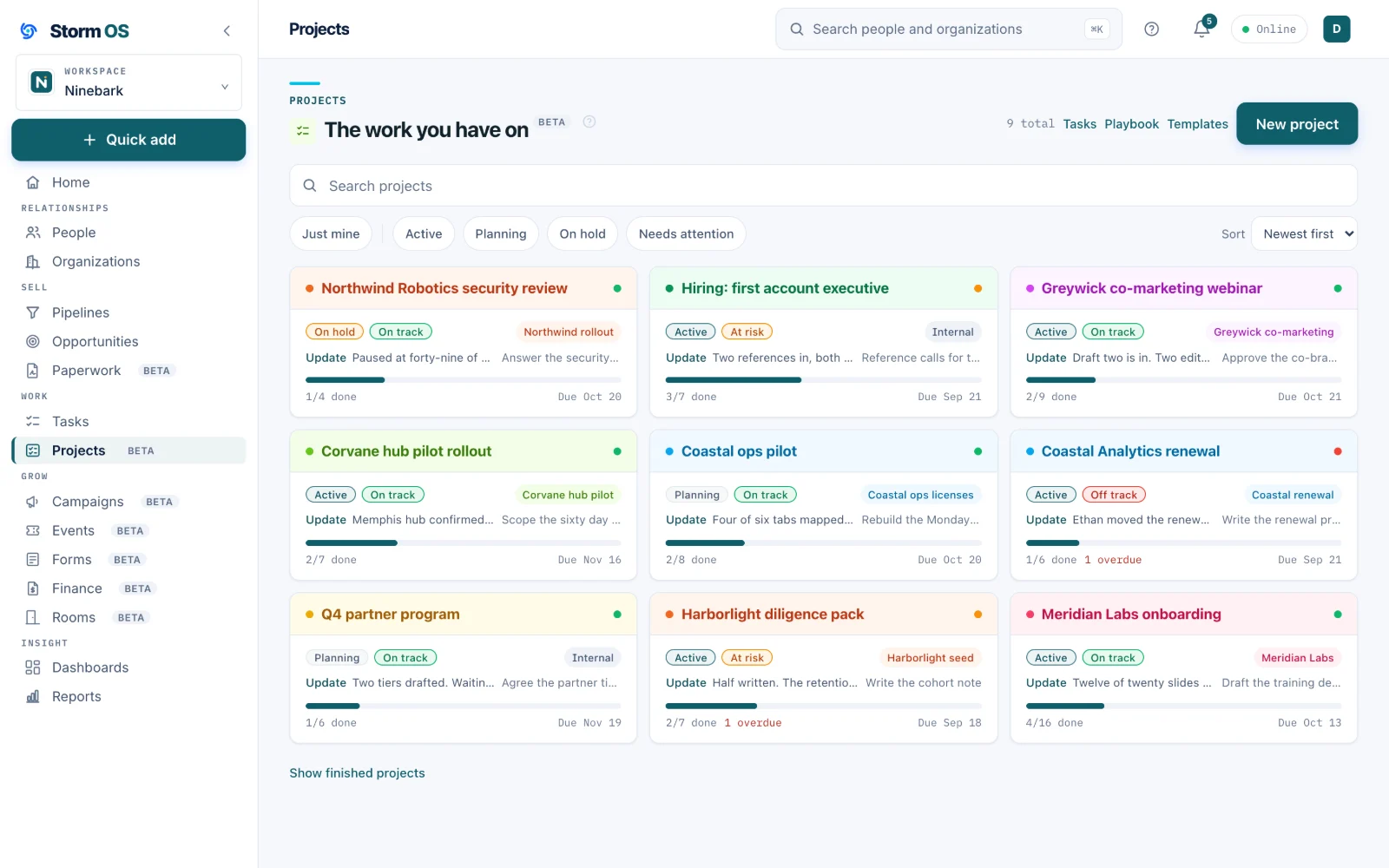
Client work hangs off the account it belongs to, so the project, the deal and the invoice all read as one relationship. Internal work gets its own label, and the wall of projects shows progress and health for all of it at a glance.
- Kick off straight from a won deal, carrying the account and the stakeholders
- Progress counted from the tasks themselves, so the number stays believable
- A health dot per project, so a list of twelve is still readable
- Every client project reachable from the company record it serves
Boards, briefs and status
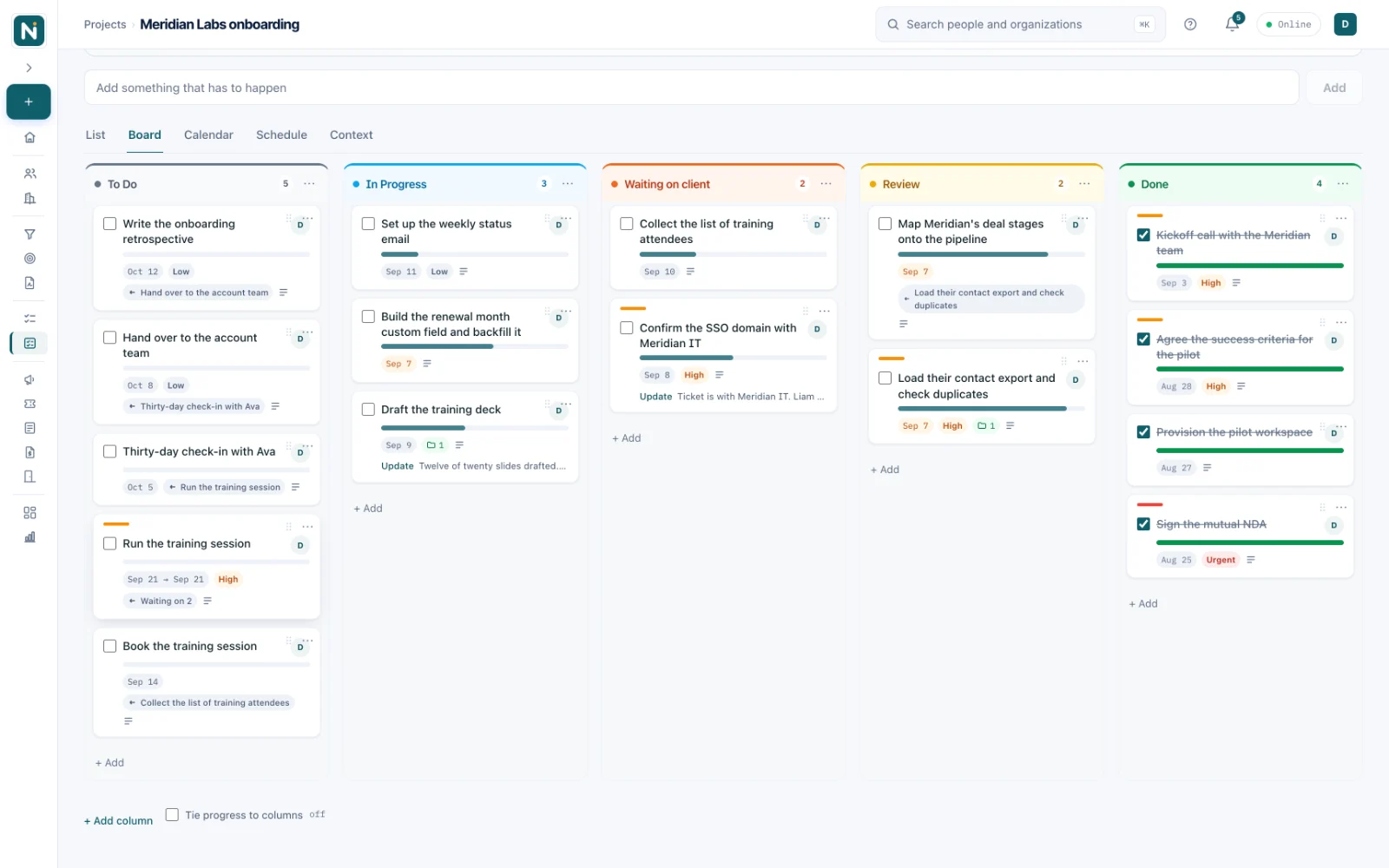
The board, the brief and the latest word are one project
Columns you name and color, tasks with dependencies and due dates, and a status update right in the project header, so anyone who opens it knows where it stands before they read a card. A Context tab keeps a brief written from what the project has actually read, and it keeps up as you add contracts and call transcripts.
- Update status is one tap in the header: on track or not, and a line on why
- The latest update shows on the project, with the last five a tap away
- Add a contract, a transcript or a note and the project context compounds
- Board, list or calendar per project, whichever fits the work
The calendar
When the date matters more than the stage, switch the view
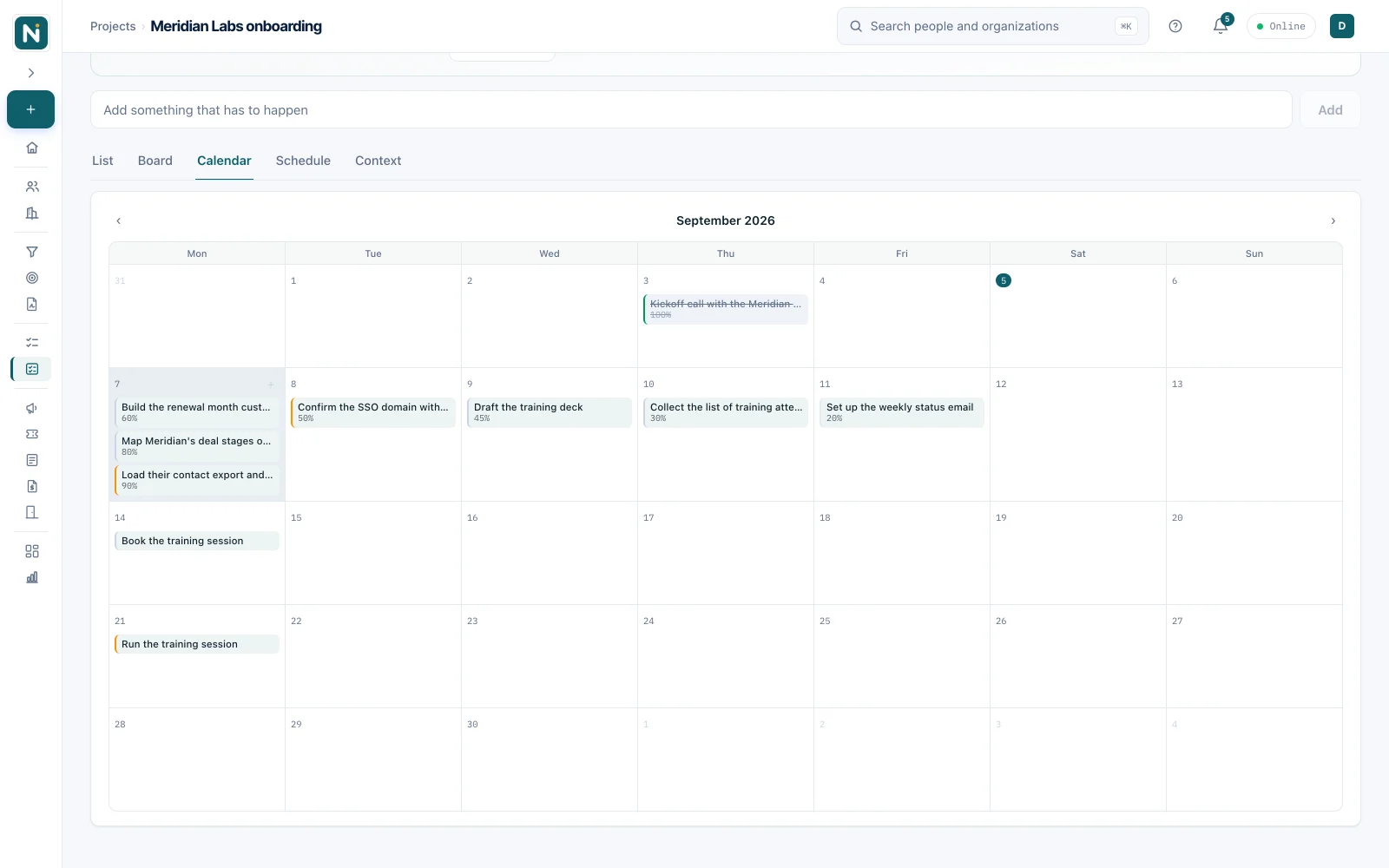
The same tasks appear on a month view, so deadlines and deliverables sit where you expect them, and anything late is flagged where you cannot miss it.
- One click between list, board and calendar, per project
- Late work flagged in red, right on the day it was due
- Due dates set in plain language when you add the task
- The month view reads well on a phone, like the rest of the app
Tasks
One list of what is actually yours
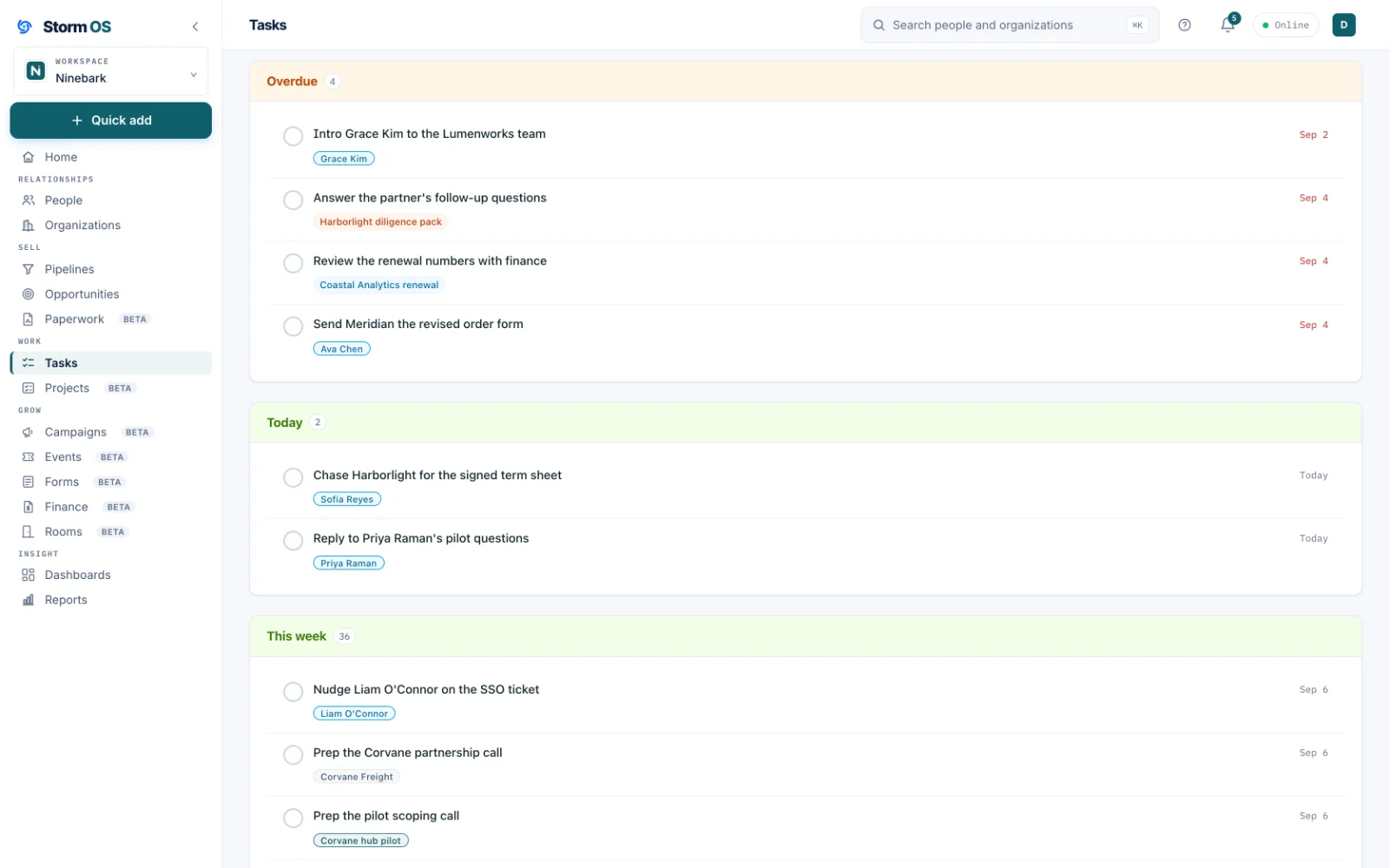
Every task in one place, whatever it hangs off: a person, a company, a deal or a project board. Overdue, today, this week and later, on your own day rather than a server somewhere. The On-Task Agent keeps the same answer current and can mail it to you each morning.
- Project tasks and follow-ups arrive in the same list, on the same day view
- Mine, the team, or everything, from the same three views
- Overdue and today separated, because they call for different mornings
- Check off anything from the list; a project task still opens on its board
The rest of Storm OS
Your customers, your work, and your money in one place
Every part below works from the same relationships, so the deal you win becomes the project you deliver, the invoice you send, and the customer you keep, without re-entering any of it.
Storm Eye
Every relationship you have
Customers, investors and partners in one graph, the deals that move them, the proposals they sign, and the private rooms you share with them.
See Storm Eye
Storm FinanceBeta
Get paid for it
Invoices raised off the deal that promised them, sent in your name with replies coming to you, paid by card or however you already get paid.
See Storm Finance
Storm MarketingBeta
Reach them again
Email designed and sent from your own domain to segments that build themselves, with every open and click landing on the records your deals live on.
See Storm Marketing
Storm Service
After the invoice clears
The support side of the relationship, in the same place as the deal, the project and the invoice. Licensed separately, arriving in November with a first group of beta customers.
What it will do
A separate offering, included at no additional cost for early access members for at least a year. The whole platform