Storm MarketingBeta
Email your relationships from your own domain, and see what it turned into
Design the email on a canvas that is the email, send it from your own domain to a segment that keeps itself current, and watch every delivery, open and click land on the same records your deals live on.
A separate offering, in beta, included with your plan for a year.
No credit card to start · 30-day trial · Live and customized in 15 minutes
Campaigns
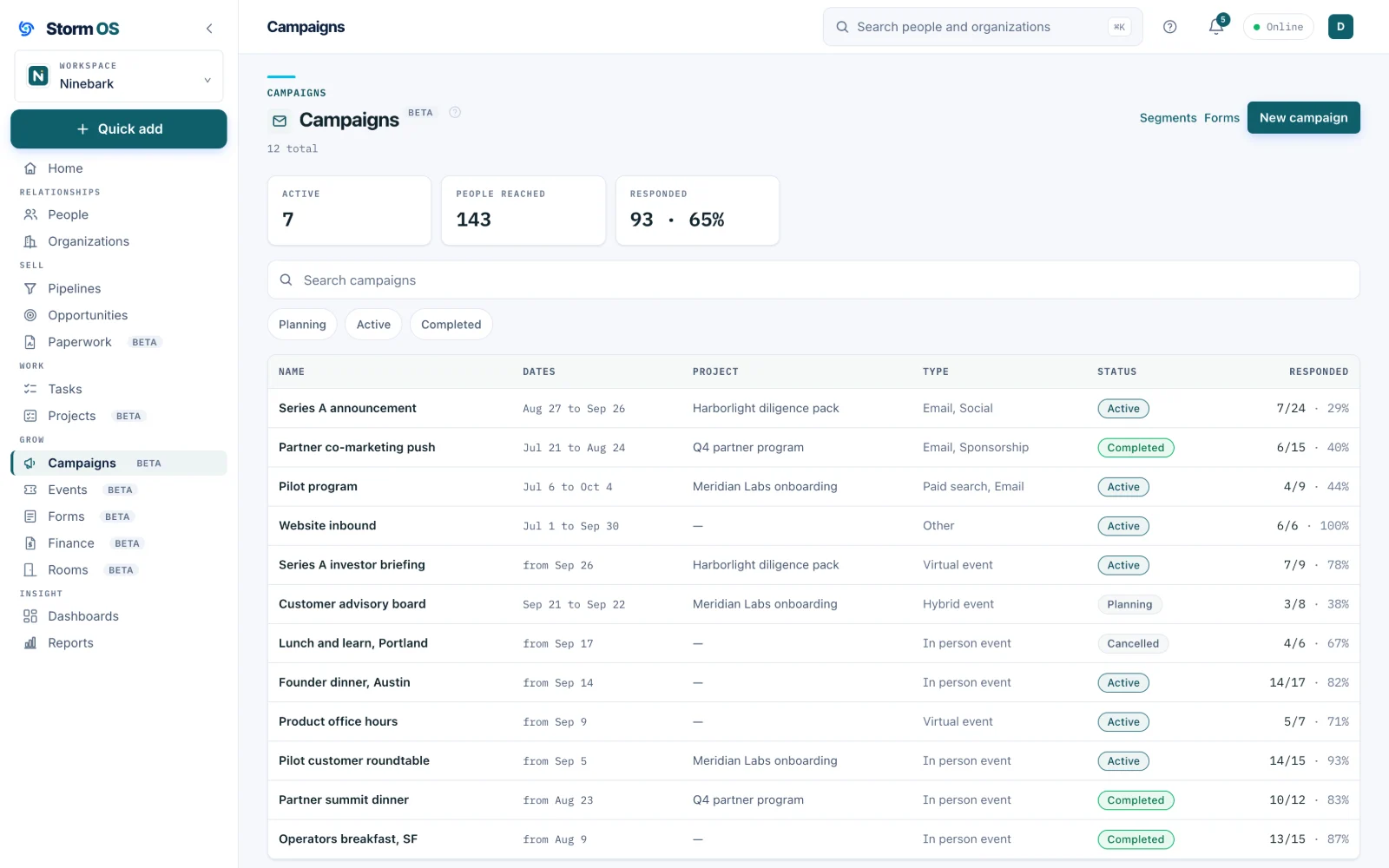
A campaign is any push at a group of people
A launch email, a conference, a sponsorship, the ads you are about to run. Storm OS keeps who was involved and what came of it, so the dinner you hosted in September stays connected to the deal it produced in November.
- Types that match real work: email, events, sponsorships, paid, social
- Planning, active and completed, with who responded counted on every row
- Member statuses you configure, so responded means what you decide it means
- Attach a campaign to a project when the push is a piece of work
The email
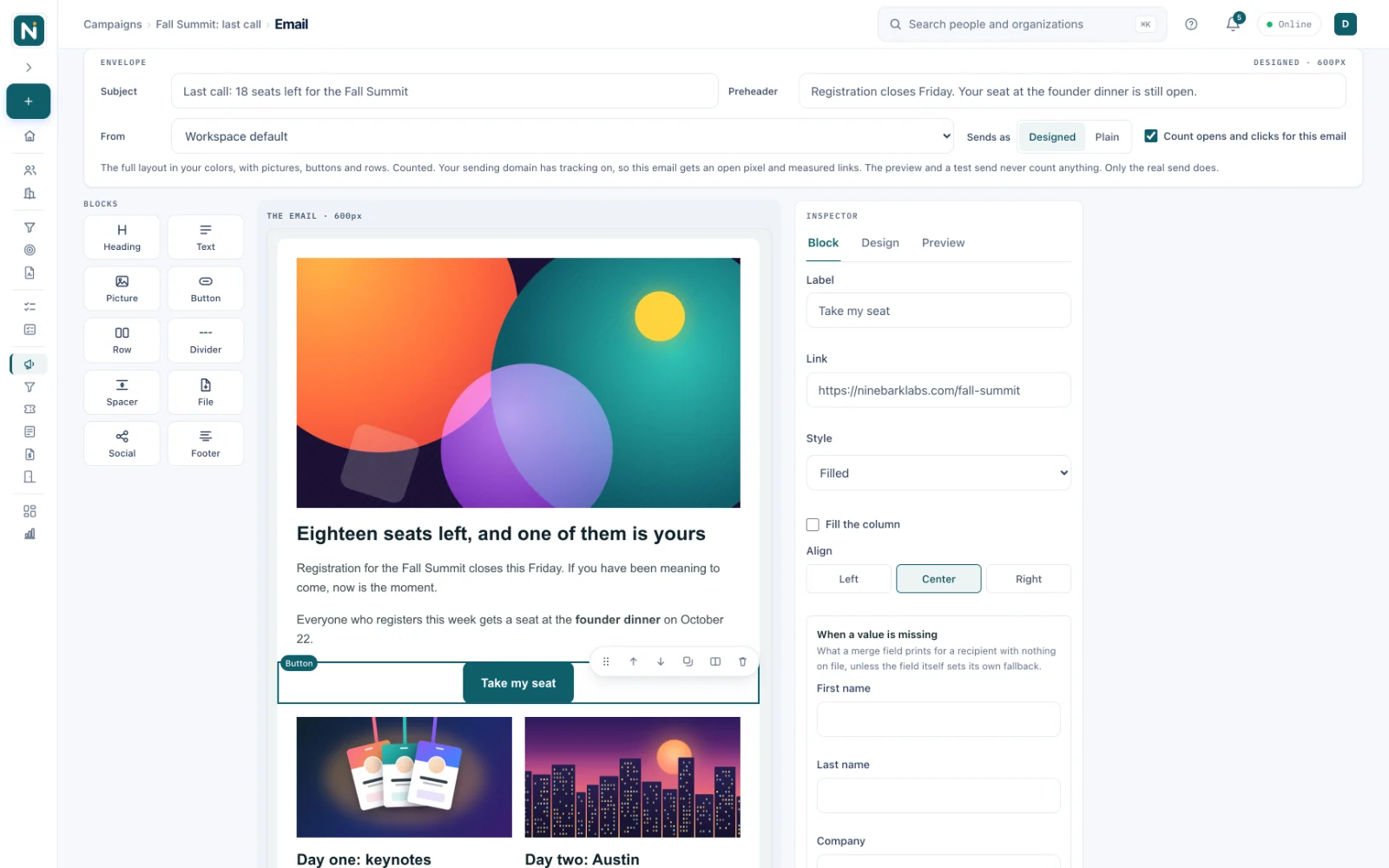
Drag blocks onto the email itself
The canvas you design on is drawn by the same code that sends the message, so what you see is what lands in the inbox. Drag a heading, a picture, a button or a two-column row into any gap, set your colors and fonts once, and start from a template when you would rather not start from a blank page.
- Ten blocks in a palette you drag from, or tap on a phone
- Templates shown as pictures of the email they make
- A full-size preview in a phone frame, and a test send marked as a test
- Designed or plain text, with your address and an unsubscribe link on every send
Sending
From your own domain, in your own name
Campaign email goes out from an address on your own domain. Type your domain once in Domain Management and Storm OS sets up three addresses on it, one for email, one for link tracking and one for landing pages, with one list of DNS records to add, each with a copy button, and one Check for all three. None of them touch the email your team already sends. The message carries your name, your words and your footer, and nothing of ours.
- Subdomains by default, engage for email, io for tracking and go for pages, so your existing mail setup stays exactly as it is
- Tracked links on your own domain too, so a click never passes through a stranger's address
- A careful start for a new domain: each send reaches at most 1,000 people for the first two weeks
- Only people who may be emailed are sent to, and you can record permission for a list you already have
- Already on Mailchimp? Connect it and your campaigns send through your Mailchimp account instead
Results
Who it reached, and what it turned into
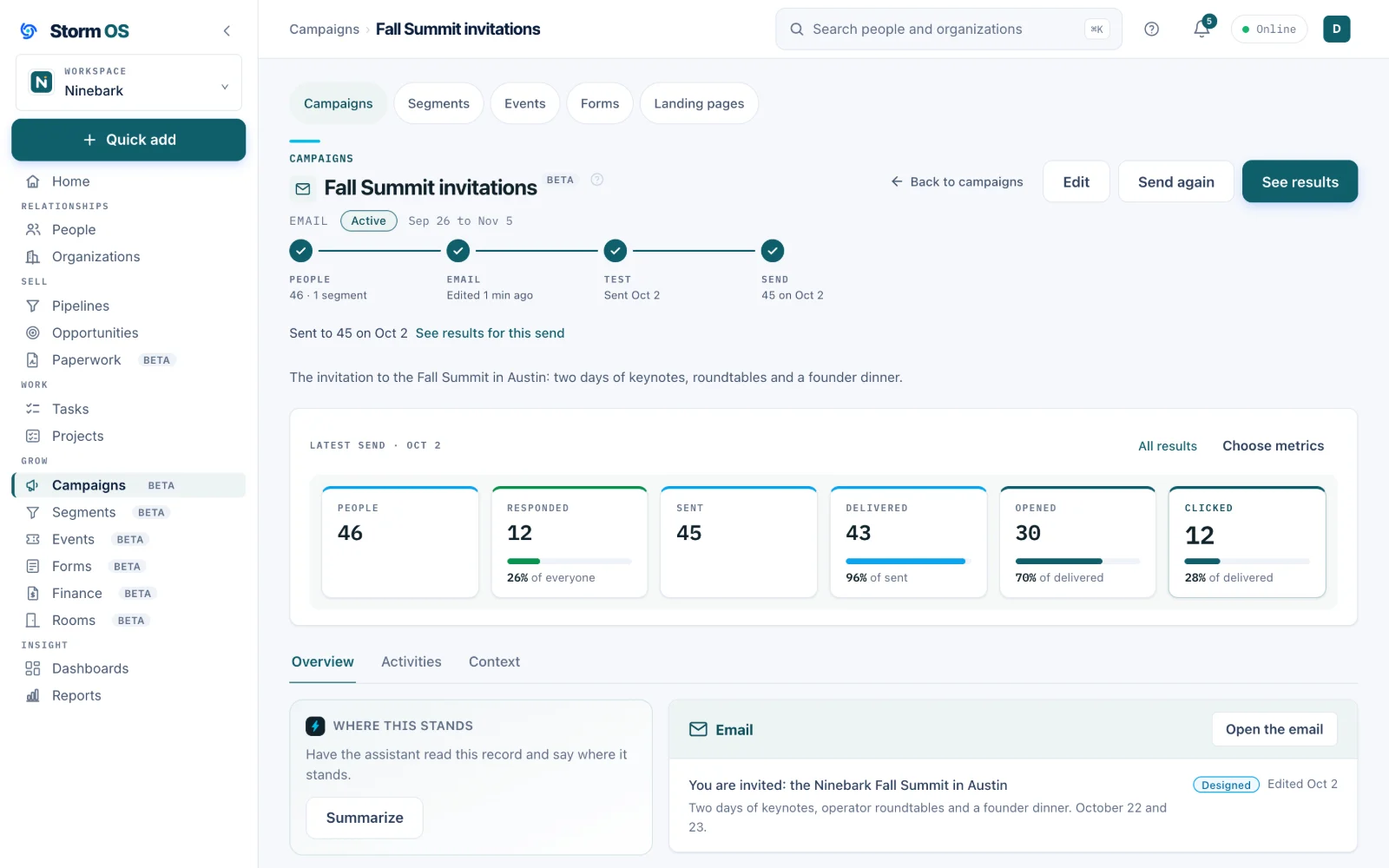
Every send reports what was delivered, opened and clicked, person by person, on the campaign and on each record. Pick the figures you care about, and follow the campaign into the deals it touched.
- Six key figures by default, or your own set from fifteen, including deals won and the money in them
- Opens and clicks on the person's record, where the next conversation starts
- First touch and last touch on every closed deal, won or lost, worked out for you
- A bounce or a failed delivery says why, in words
Segments
Describe who you mean once, and the list keeps up
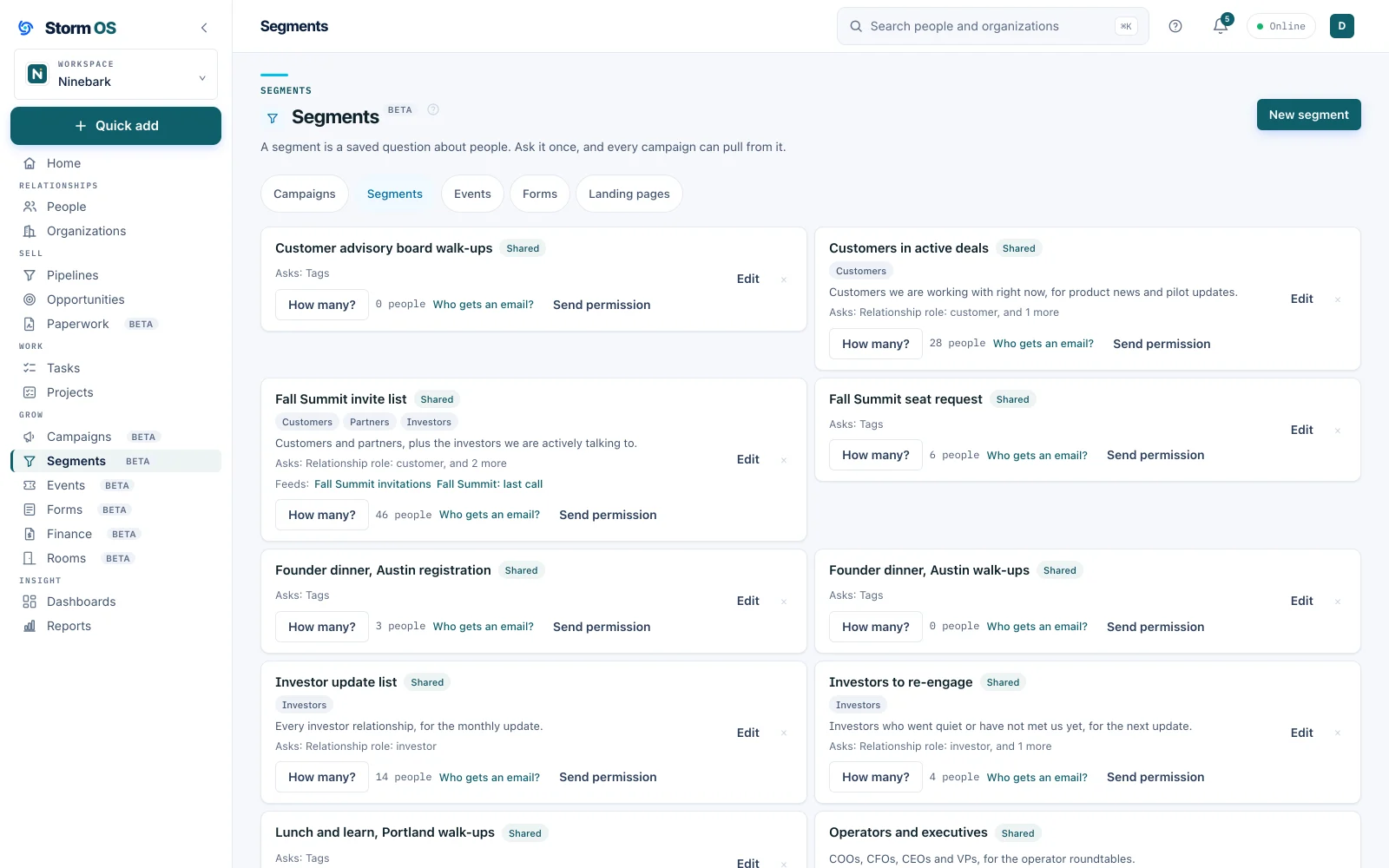
A segment is a saved question about people, built from anything on your records: their role, their tags, the deals they are on. It counts again whenever you ask, so next month's campaign goes to whoever fits by then.
- A live count, and who can be emailed, before you send anything
- One segment feeding as many campaigns as you like, named on its card
- Segments from forms and event walk-ups, made for you as people sign up
- Its own page in Marketing, beside Campaigns, Events and Forms
Landing pages
A page for the campaign, with the form built in
Give a campaign a page of its own: an event, an offer, a waitlist. It is built by dragging sections and blocks into place, reads well on a phone, and carries the campaign's form right on the page, so every answer lands on the campaign and the records it belongs to.
- Published at your workspace's address, or on your own domain such as go.yourcompany.com once you connect it in Domain Management, with a link you can put anywhere
- The form sits on the page, so nobody leaves to fill it in
- Each submission lands on the campaign with the page it came from and the site or link that sent the visitor
- No cookies and no third-party scripts, and a visitor is known only by the form they fill in
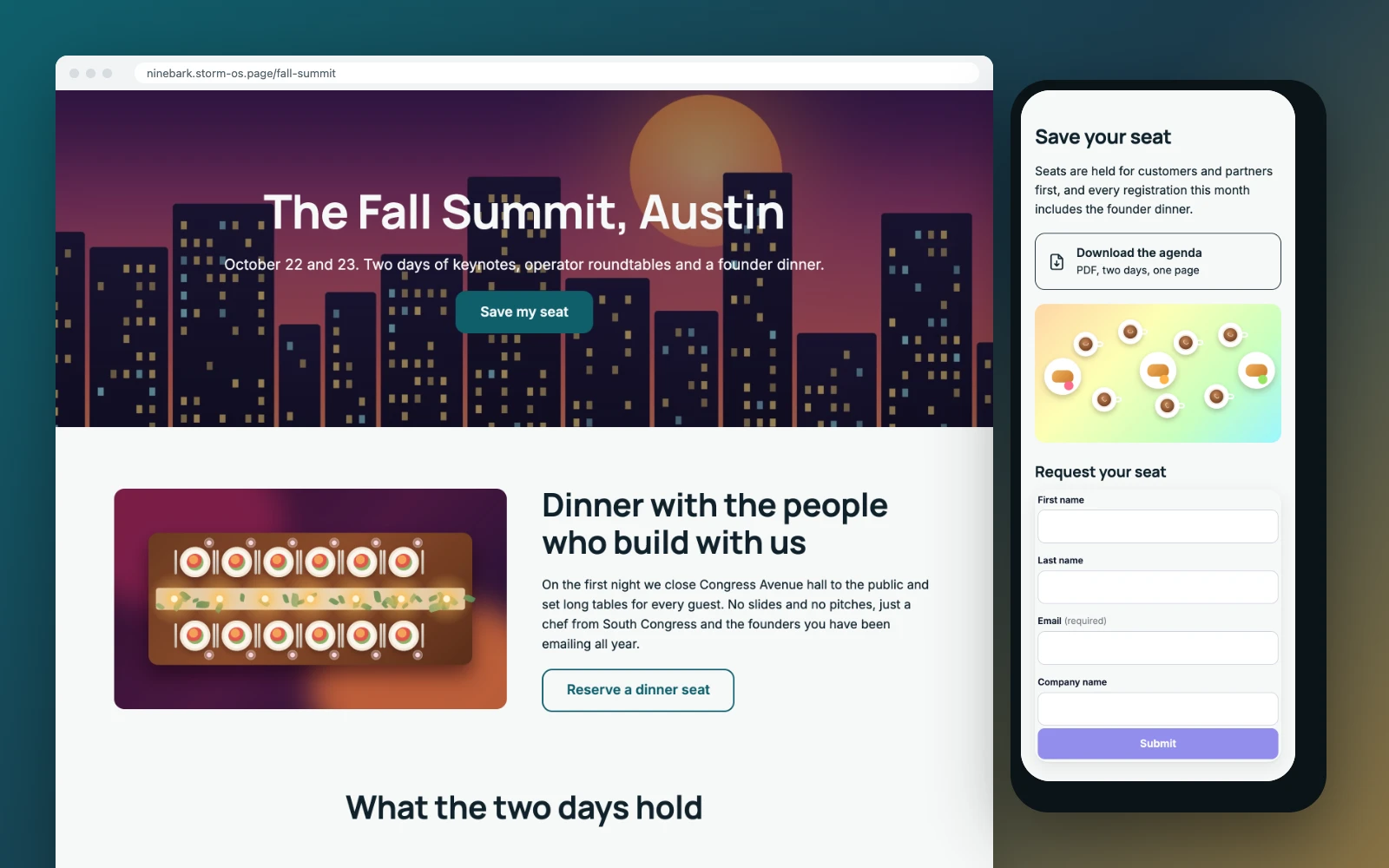
The page builder
One to three steps, built by dragging sections into place
Start from a one, two or three step template, drop in sections of one, two or three columns, and set your colors and fonts once for the whole page. The canvas is the page, drawn by the same code that serves it.
- Templates for a page, a page and a form, or a page, a form and a thank-you
- The form created right there, or one you already have, matched to the page's design
- Desktop, tablet and phone views, and a preview link with a code to scan on your phone, before anything is published
- The campaign, the form and the address named across the top, so nothing is left unconnected
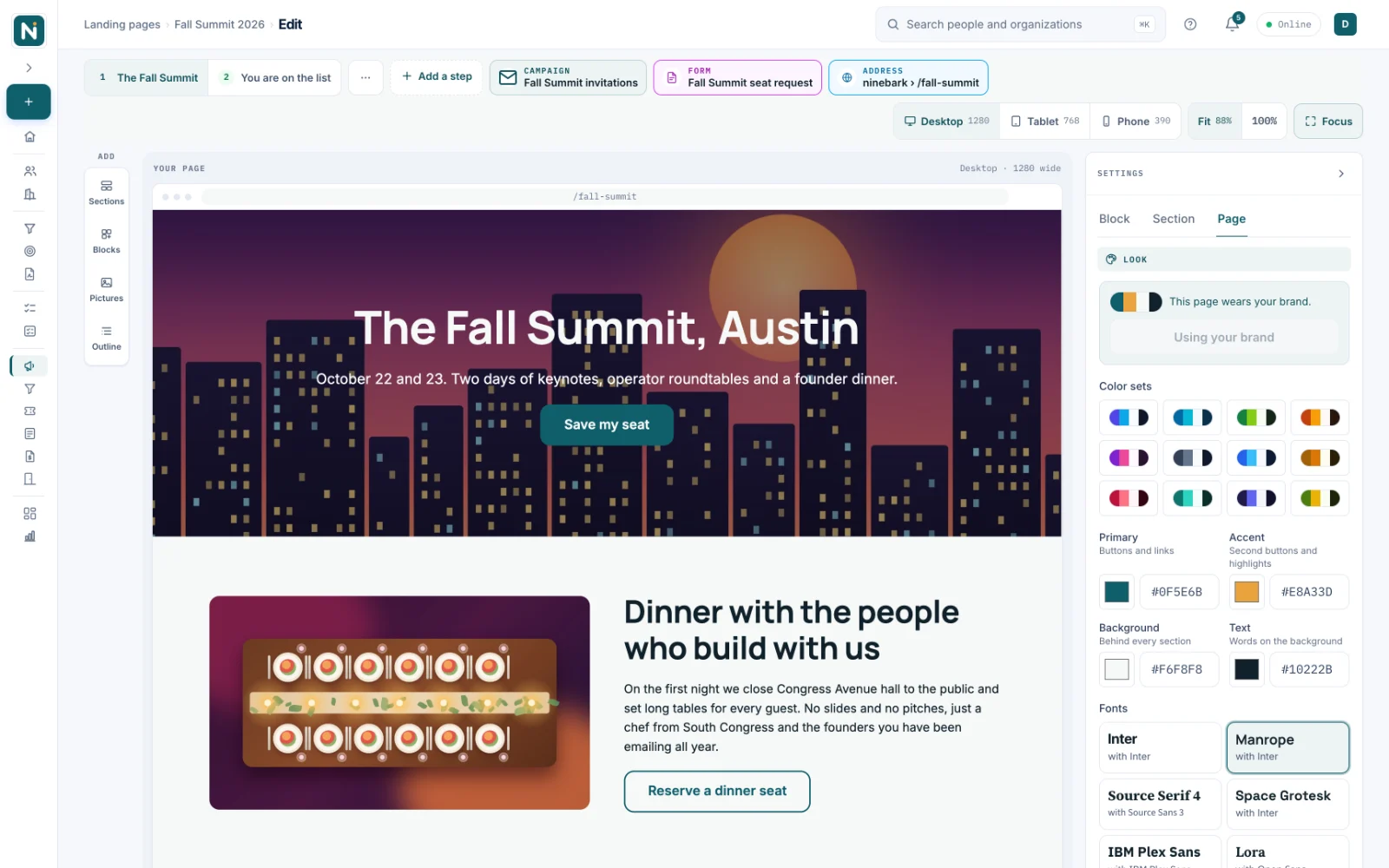
Assets
Every picture and file in one library
Upload a picture or a file once and use it in any email or page. Each one knows where it is used, so you can see what a change will touch before you make it.
- Search by name, with alt text stored alongside each picture
- Where it is used, on every card: live pages, sent emails and drafts
- Replace a file and your drafts and live pages pick up the new one
- Video from YouTube or Vimeo, loaded only when a visitor presses play
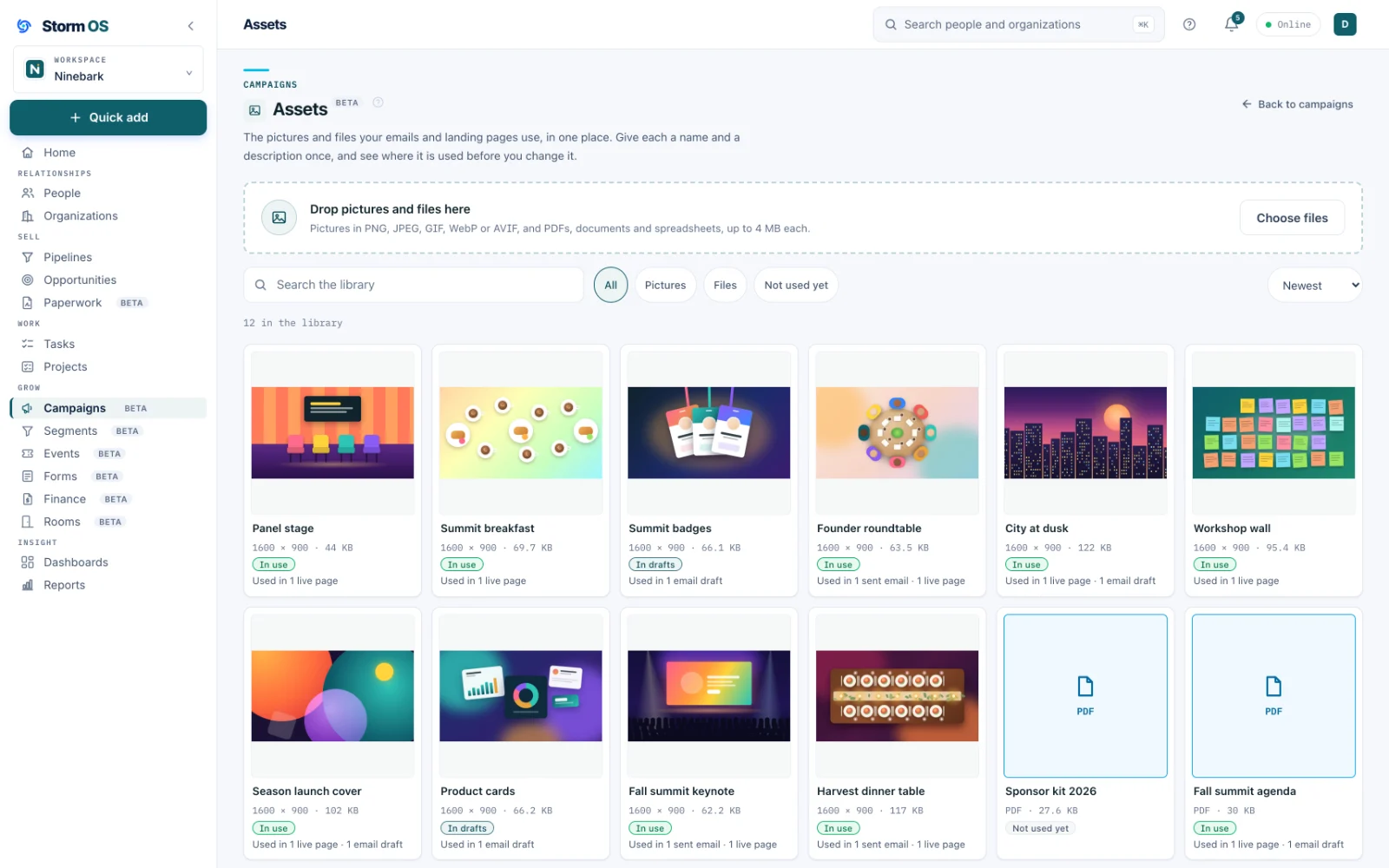
Events
The dinner, from the invite to the door
An event is a campaign with a date, a registration page and a way to check people in. Everyone who registers gets a ticket with a code, and on the night your phone becomes the door.
- A registration page built here, or one you already have, bound to the event
- A ticket for every registrant, with a code they can read out if their phone dies
- Check in by scanning, by typing the code, or by looking someone up by name
- Several people checking in at once, with every phone agreeing within seconds
- Walk-ups captured properly, so the person who just turned up is a real record
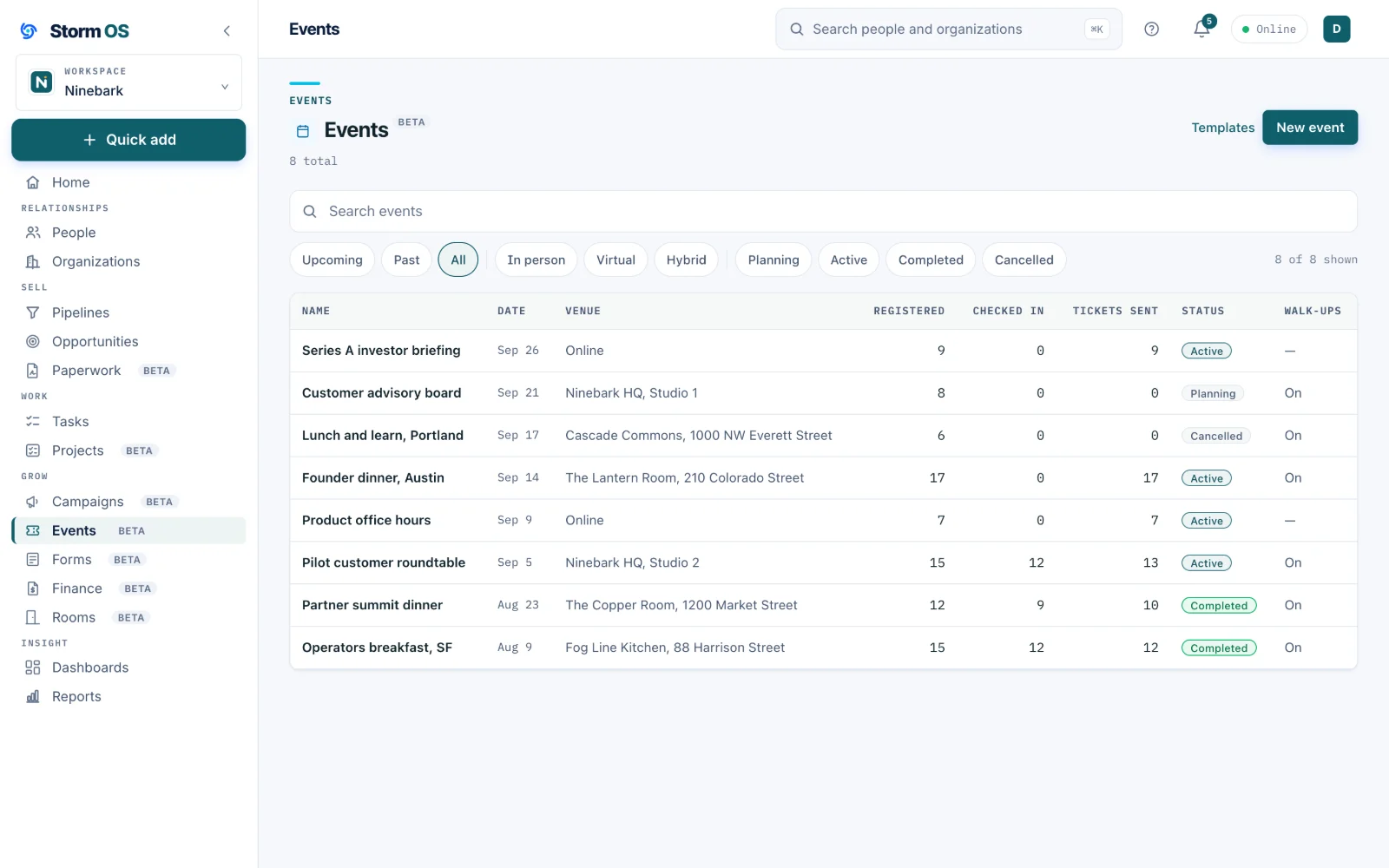
The night itself
Who registered, who has a ticket, who walked in
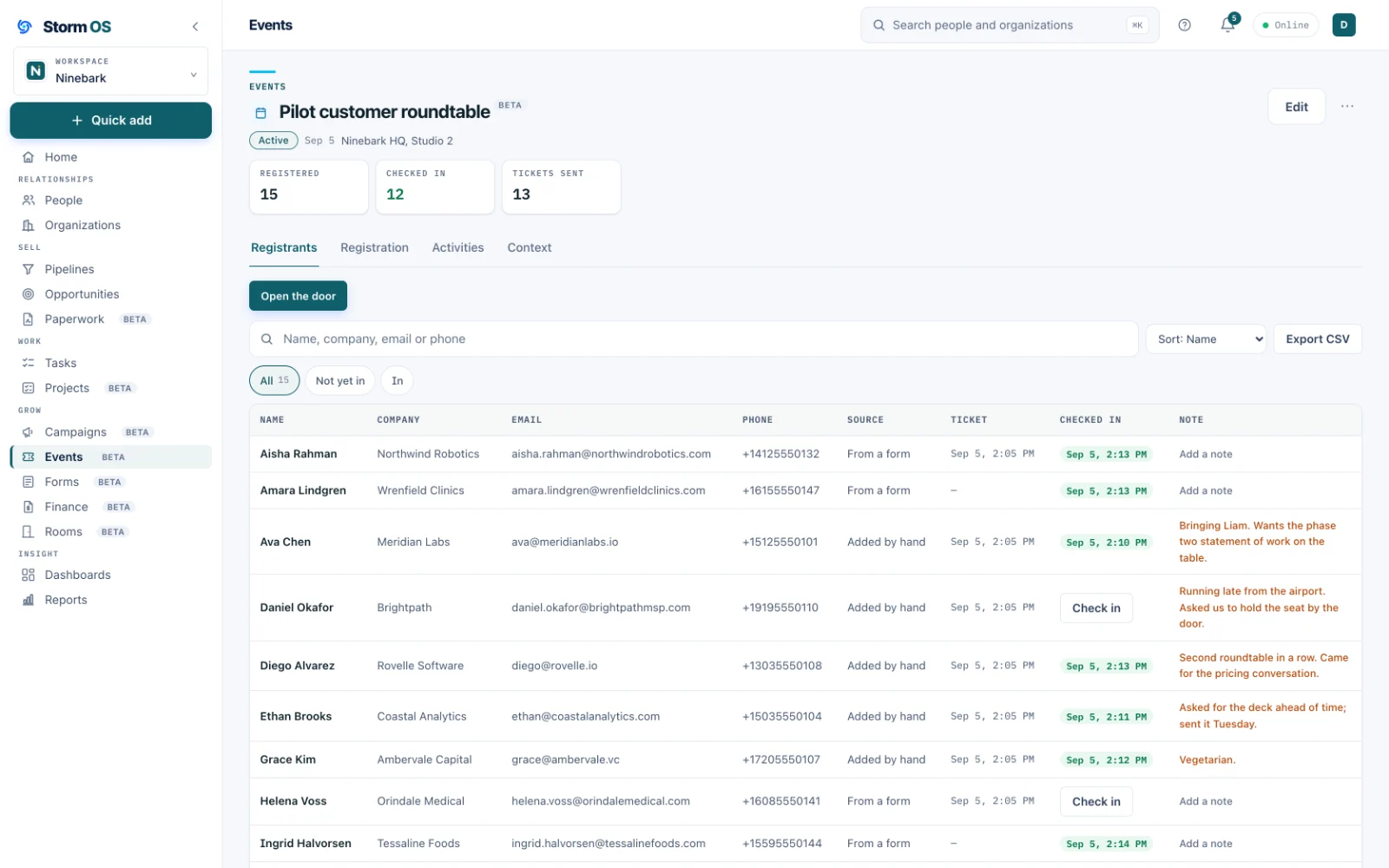
Open the event and the whole roster is there: name, company, how to reach them, and whether they have arrived. The counts at the top are the ones you keep refreshing on the day.
- Registrants with their company and contact details, on one screen
- Tickets sent, and who has been through the door, counted live
- Check in from a phone at the door while somebody else works the list
- Anyone who turns up without registering becomes a real record
Forms
A public page whose answers land as records
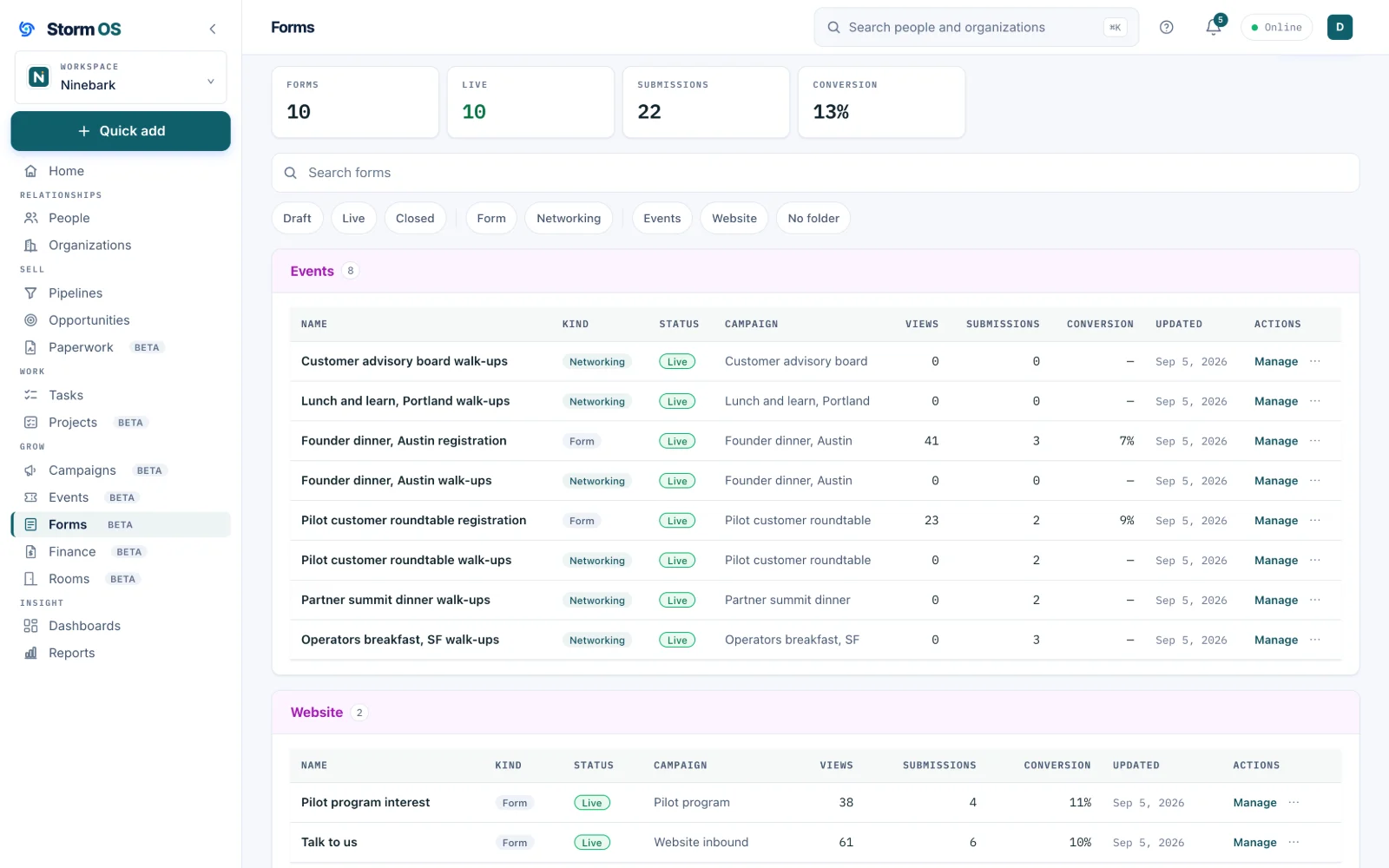
Ask for what you need, on your own pages, with your own colors. Every answer becomes a person record, tagged, segmented, and joined to the campaign it came from.
- Fields from your own records, including the custom fields you added
- Multi-step pages, and questions that only appear when they are relevant
- A thank-you message or your own redirect, and an automatic reply if you want one
- Views, submissions and conversion on every form, with an export when you need it
The rest of Storm OS
Your customers, your work, and your money in one place
Every part below works from the same relationships, so the deal you win becomes the project you deliver, the invoice you send, and the customer you keep, without re-entering any of it.
Storm Eye
Every relationship you have
Customers, investors and partners in one graph, the deals that move them, the proposals they sign, and the private rooms you share with them.
See Storm Eye
Storm Project
The work after the win
Internal or client work on a board or a calendar, reading its own contracts and transcripts so the brief stays current.
See Storm Project
Storm FinanceBeta
Get paid for it
Invoices raised off the deal that promised them, sent in your name with replies coming to you, paid by card or however you already get paid.
See Storm Finance
Storm Service
After the invoice clears
The support side of the relationship, in the same place as the deal, the project and the invoice. Licensed separately, arriving in November with a first group of beta customers.
What it will do
A separate offering, included at no additional cost for early access members for at least a year. The whole platform