Storm FinanceBeta
The invoice comes from the deal that promised it
You already described the money when you built the deal and the proposal, so Storm Finance raises the invoice from that same schedule, sends it in your name with replies coming straight back to you, and collects payment through whatever your customers already use.
A separate offering, in beta, included with your plan for a year.
No credit card to start · 30-day trial · Live and customized in 15 minutes
Invoices
Every invoice you have raised, and what happened to each one
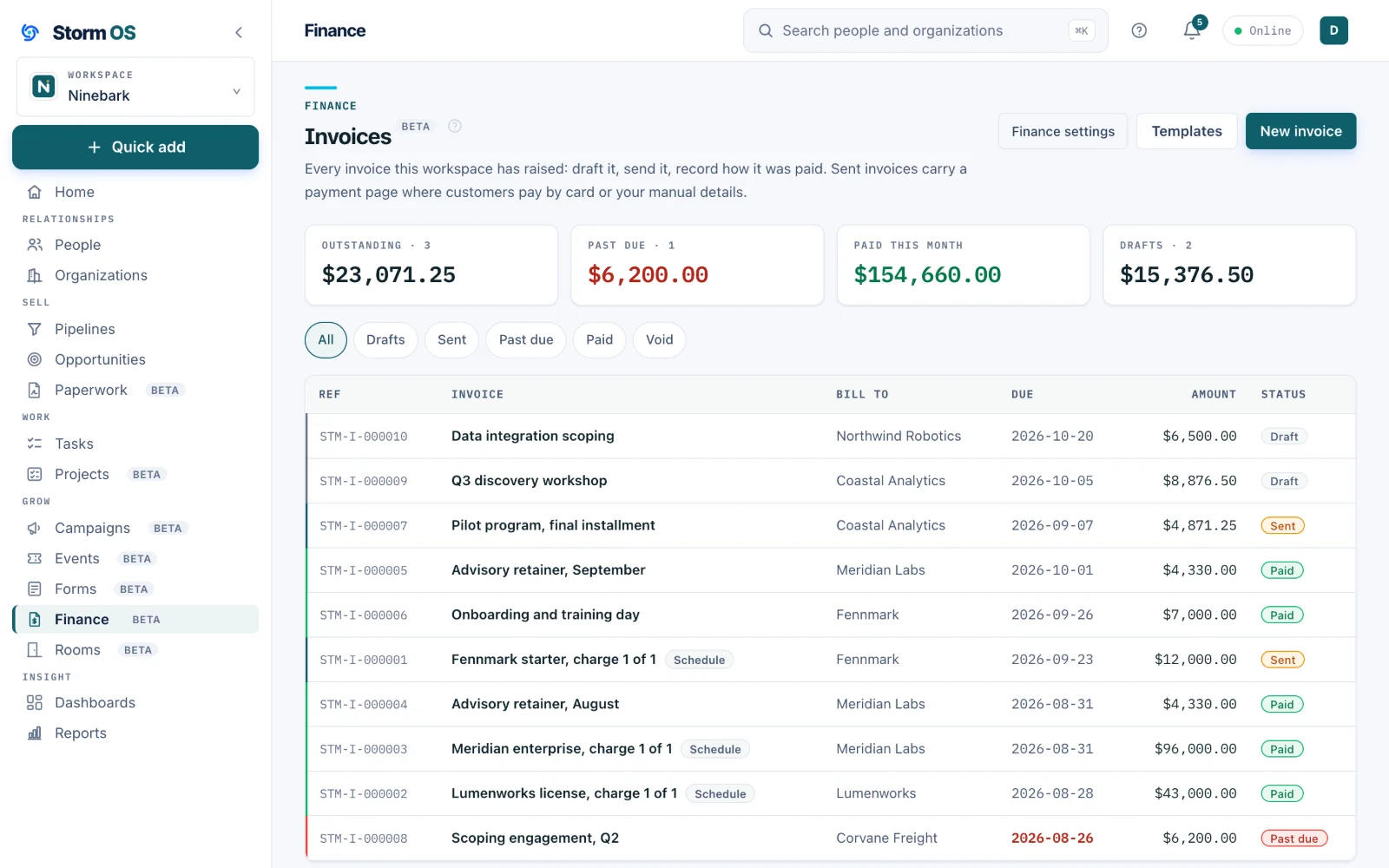
Draft it, send it, and record how it was paid. Generate the whole payment schedule from a signed proposal in one step, or raise a single invoice from scratch when you just need to bill somebody.
- A full schedule generated from a won deal, or one invoice on its own
- Draft, sent, paid and void, with the filters across the top
- Attached to an account, a contact, or both
- Your numbering, your terms and your logo, set once in templates
An invoice
Line items, taxes, terms and a memo, with the math done for you
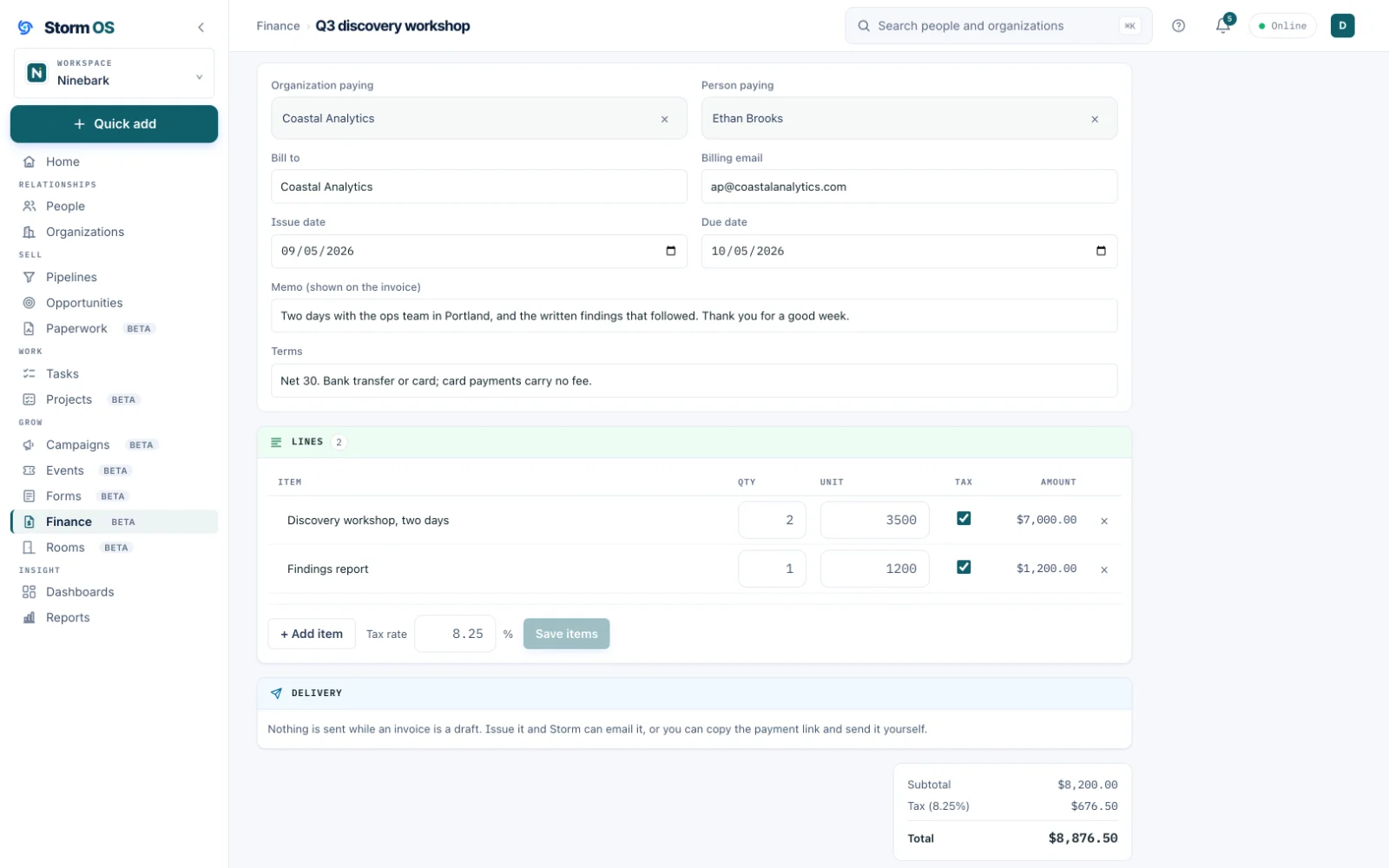
The invoice itself is a real document you shape: quantities, unit prices, tax handling and payment terms, with the totals worked out as you type. When it is right, send it: it arrives in your name, and when your customer replies, the reply comes straight to you.
- Line items with quantities, unit prices and per-line tax
- Issue and due dates, terms, and a memo your customer sees
- Sent in your name, with your customer's replies coming straight to you
- Mark it paid by hand when a wire arrives, with the method recorded
Getting paid
Take payment any way your customers already pay
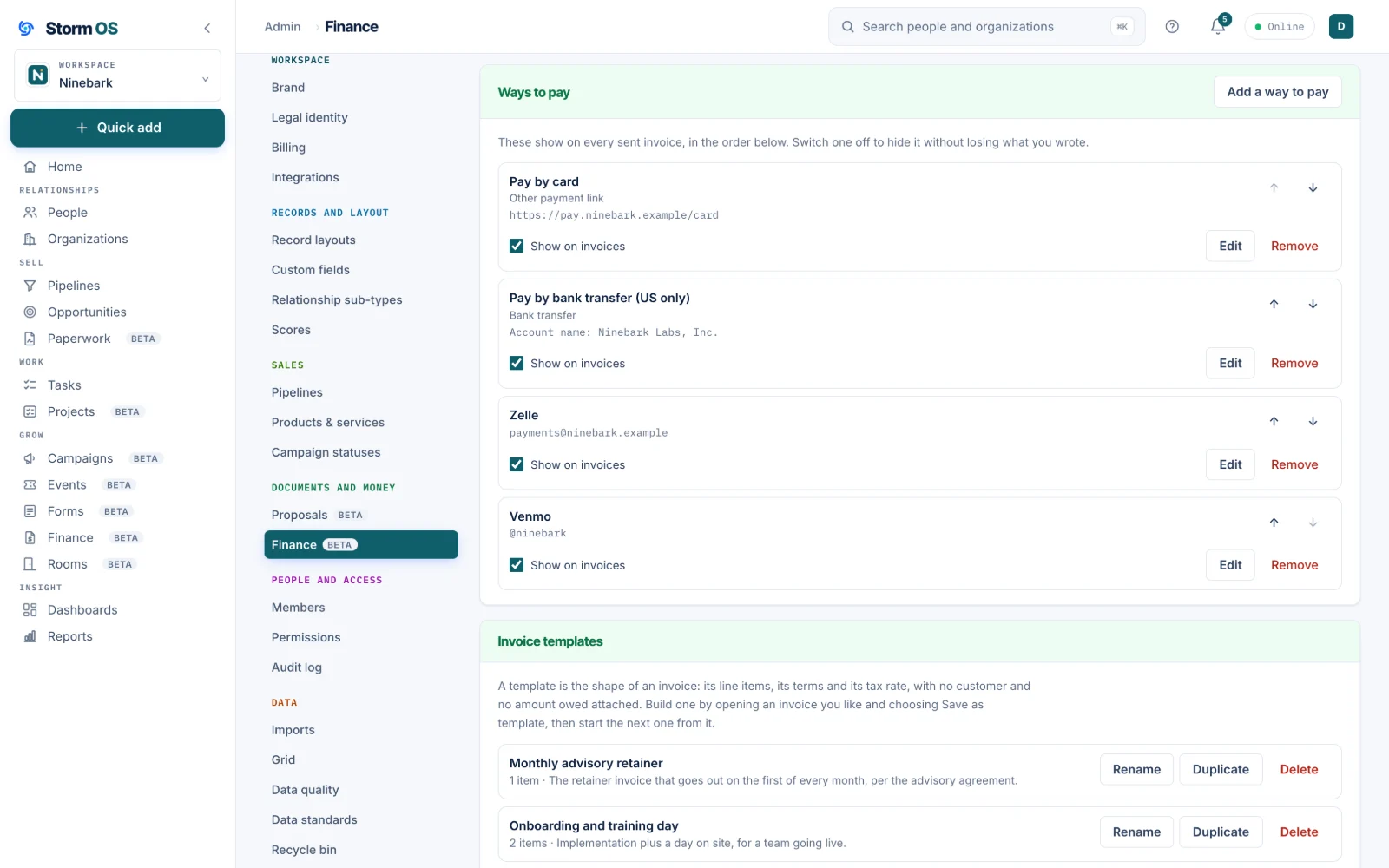
Every sent invoice carries a payment page, and you decide what appears on it. Connect your own Stripe account and the page carries a Pay Now button that opens Stripe's checkout, with the money going straight to you. Alongside cards, or instead of them, drop in the payment links you already use.
- Card payments on Stripe's own checkout, charged on your Stripe account, so payouts and fees are between you and Stripe
- Drop-in options for Zelle, Venmo, PayPal, bank transfer details, or any payment URL you already have
- You choose the order they appear in, and switching one off hides it without losing what you wrote
- No processor required to start: an invoice with only manual payment options still works
The rest of Storm OS
Your customers, your work, and your money in one place
Every part below works from the same relationships, so the deal you win becomes the project you deliver, the invoice you send, and the customer you keep, without re-entering any of it.
Storm Eye
Every relationship you have
Customers, investors and partners in one graph, the deals that move them, the proposals they sign, and the private rooms you share with them.
See Storm Eye
Storm Project
The work after the win
Internal or client work on a board or a calendar, reading its own contracts and transcripts so the brief stays current.
See Storm Project
Storm MarketingBeta
Reach them again
Email designed and sent from your own domain to segments that build themselves, with every open and click landing on the records your deals live on.
See Storm Marketing
Storm Service
After the invoice clears
The support side of the relationship, in the same place as the deal, the project and the invoice. Licensed separately, arriving in November with a first group of beta customers.
What it will do
A separate offering, included at no additional cost for early access members for at least a year. The whole platform